AINews wire, 3 h ago
Copilot desktop app for Windows: what its workspace tools offer
Reported by XDA Developers
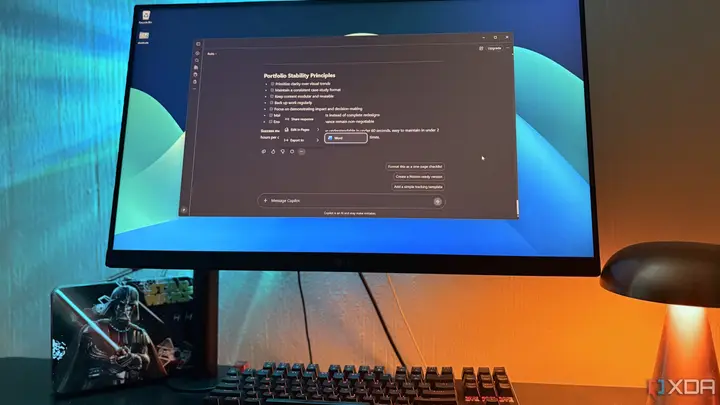
A reviewer at XDA Developers, writing on 24 November 2026, says the standalone Copilot desktop app for Windows made him rethink paying for Claude or Gemini. He still keeps Copilot in Windows switched off. According to the report, the two are separate, and people who dismiss the app along with the built-in Windows features may be judging it unfairly.
The app has changed this year. Microsoft merged it with the Microsoft 365 Copilot app, the work-focused app that used to be called Office. On Windows it now works much like the Copilot website in a desktop window. A taskbar icon and a dedicated key on some newer keyboards only open the app, and the app can be unpinned or the key remapped. Sign-in is still required because guest use has ended, but the account does not have to be a Microsoft account. The reviewer signed in with a Google account.
Some features reach into the computer or into connected accounts, such as file search and connectors for OneDrive and Gmail. These are optional. Which options appear depends on the feature and on the version of the app you run. The reviewer keeps these features off.
Copilot Prompt Lab is a library of ready-made prompts curated by Microsoft. Prompts are grouped under headings such as Analyze, Ask and Assist. Each one has bracketed blanks that you fill in with your own details. You can save your own prompts. When you hover over a prompt you have run, a bookmark icon appears, and saving it adds the prompt to a list where you can rename it. The reviewer says he has not seen this feature in other mainstream chatbot apps. The library does not adapt to you, because every entry is tagged as suggested by Microsoft. The follow-up suggestions that appear under answers do reflect the conversation, so saving them builds a personal set of prompts over time.
Copilot Notebooks work like project spaces, similar to Claude Projects and Gemini notebooks. You create a notebook for a topic, add references, and Copilot answers from those references. References can be uploaded files, links, files from OneDrive, or earlier Copilot chats. Notebooks are stored in Microsoft's cloud, in a container tied to your account. This means anything you upload leaves your PC, even if OneDrive is disconnected. New references can take up to 10 minutes before Copilot starts to use them. The reviewer thinks Gemini's version has the edge, because its notebooks link to NotebookLM and offer extras such as video overviews and infographics. Copilot allows unlimited notebooks, which Claude Projects does not.
Copilot Library gathers everything Copilot has made for you, including documents, presentations, workbooks, Pages and images. The name is misleading on the free tier. Full Word, Excel and PowerPoint editing inside the app is a feature called Office in Copilot. It became generally available in November, but access depends on your account and license. The reviewer, who uses a free account, asked for a document and received a Copilot Page that opened in Microsoft Loop instead of a Word file. Pages open next to your chat. You can keep prompting to change them, or use one-click options to add section headers, an introduction or a conclusion. Microsoft says Pages can hold interactive charts and dashboards. A finished page can be converted to a Word document, but the PowerPoint conversion option did not seem to be available at the time of writing. The reviewer judges Library to be more useful for finding things again than for making new ones.
The report is one person's hands-on test. It does not give pricing for the different tiers, and it does not list which features each plan includes. The reviewer also mentions learning-focused features that he has not yet tried, so the picture is incomplete.
Enjoying this? Get the AI brief
Every Thursday: AI that matters for your home.
✓ Free · seven editions · one click to leave
Original reporting by the sources above. Summary by smart-home.space.