GadgetsNews wire, 21 Nov 2026
Four Google apps swapped for lightweight alternatives on a Pixel phone
Reported by XDA Developers
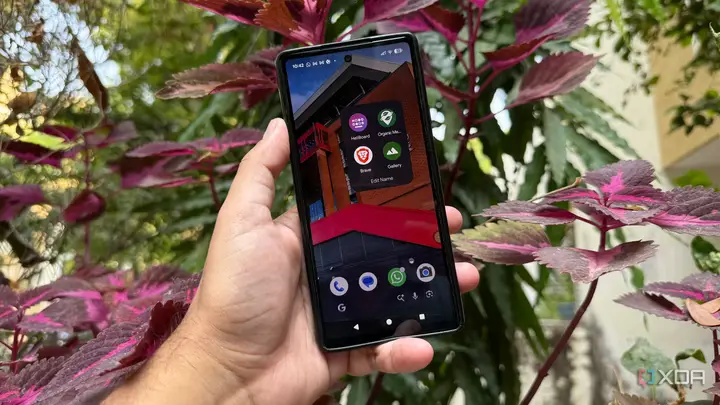
A XDA Developers writer tested four lightweight apps in place of Google's default apps on a Pixel phone, to see whether the device felt faster. The aim was not complex tools or heavy customisation. The apps had to handle their core jobs well and use fewer resources.
The gallery swap started with Google Photos, which bundles cloud storage, automatic backups, AI tools and recommendations. For simply browsing photos stored on the phone, the writer found that too much. Fossify Gallery focuses on locally stored pictures and needs no sign-in or cloud setup. Its album handling is easy to follow. It also offers image editing, app locking, hidden albums and a recycle bin. The writer describes it as free, open-source and ad-free.
The keyboard change replaced Gboard, which offers voice typing, translation, GIF search and predictive suggestions. The writer rarely used most of these. HeliBoard, described as a free, open-source and privacy-focused keyboard built on AOSP and OpenBoard, kept the essentials. It supports several languages, custom themes and a personal dictionary. Suggestions and autocorrect were good enough for chats and quick notes. The writer calls the switch practical for people who want a focused typing tool.
For maps, Google Maps brings business recommendations, reviews and other discovery features. The writer mostly needed routes. Organic Maps focuses on navigation and offers offline maps, which the writer downloaded by city before trips. It uses OpenStreetMap data and covers driving, walking and cycling. It also shows hiking trails, points of interest and public facilities.
The article is clear about the costs. Organic Maps has no Google-style live traffic updates, fewer business reviews and less complete local listings. Google Maps remains the better choice for finding businesses and checking live traffic.
The browser swap moved from Chrome to Brave. Brave is built on Chromium, so it looks and feels familiar. It includes privacy tools such as Brave Shields, which blocks many ads and trackers. The writer says blocking can reduce network requests and the content a page must load. Cookie and tracker handling can be adjusted. The source also mentions a built-in VPN and ad blocker, and says the browser uses few resources.
The writer does not suggest that everyone adopt the same set. Each swap brought something useful, although some conveniences were lost. The main point is to check alternatives before accepting the apps that come preinstalled.
What is still unknown: the article describes one user's experience on one Pixel phone. It gives no benchmark figures for speed, battery life or storage, so the claim that the phone felt faster is not measured. Feature lists, versions and prices may have changed since the review was written. Readers should check each app's current release notes and permissions before installing.
Enjoying this? Get the Gadgets brief
Every Monday: the gadgets worth your money.
✓ Free · seven editions · one click to leave
Original reporting by the sources above. Summary by smart-home.space.