AINews wire, 2 h ago
ChatGPT on Android: five setup changes that make the app more useful
Reported by Android Police
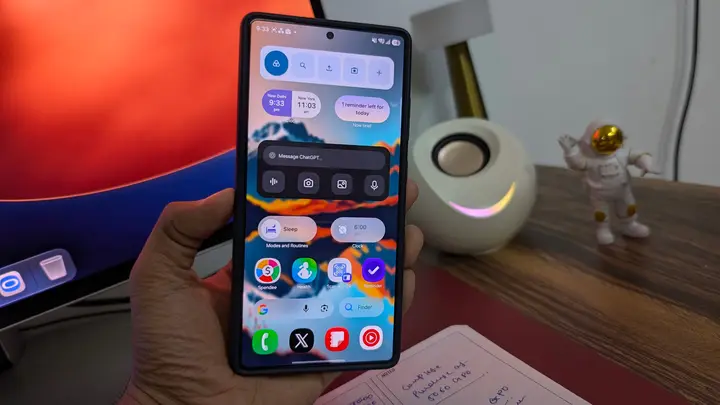
Android Police published a personal account on 23 November 2026 by writer Parth, who says he used ChatGPT on his Android phone for months without getting much from it. His routine was basic: open the app, type a question, read the answer and leave. He describes five changes that altered how he uses it.
The first change was access. He added the ChatGPT widget to his home screen, which gives quick shortcuts to start a chat or use Voice. He also set ChatGPT as his default digital assistant in Android settings, so he can open it with the assistant gesture or a bottom shortcut. He admits ChatGPT cannot control the phone as deeply as Google's Gemini, and he says he accepts that trade-off.
The second change was personality and instructions. In Settings under Personalization, he changed the style and tone, asked for fewer headers and lists, and turned up the use of emojis. The bigger step was Custom Instructions. He described his job as a tech writer, his writing preferences and how he wants information shown. He prefers clear explanations, practical examples and short replies unless he asks for a deep breakdown. He says he now spends less time correcting tone or asking for shorter answers.
The third change was voice. He used to type nearly every prompt. Now he speaks to ChatGPT Voice for follow-up questions and brainstorming, including while walking around his home. He also turned on background conversations, so the talk continues when he switches apps or locks the phone.
The fourth change was scheduled tasks. He set up a daily morning briefing on Android, AI and self-hosting news. He also runs weekly productivity summaries, reminders and repeated research subjects that matter to his work. He creates these tasks in plain language, and ChatGPT sends a notification when each one runs.
The fifth change was app connections. He linked Gmail and Calendar, plus Notion and Drive. He can ask ChatGPT to find important emails, check upcoming appointments or fetch documents. He can also ask for a summary of a long email thread or help preparing for a meeting. He says he would welcome more connected services in the future. The article does not say that any of these are planned.
Who does this affect? Mainly Android users who already have a ChatGPT account and want the app to do routine work. The article does not state which plans or subscription tiers include scheduled tasks, app connections or background voice. It also does not say whether all features are available in every country, or how the setup performs for people who do not write for a living. The account comes from one user, and no tests or measurements are given.
The writer's main conclusion is that the biggest mistake was treating the app as a simple question tool. He says the setup needs little effort and that it makes the assistant feel more like a helper that remembers his preferences. He also says the app is not as tightly integrated with Android as Gemini. Readers who want to try the steps can check each setting in the app first, review which accounts they connect, and decide whether they want the assistant to read their mail, calendar and files before they enable those links.
Enjoying this? Get the AI brief
Every Thursday: AI that matters for your home.
✓ Free · seven editions · one click to leave
Original reporting by the sources above. Summary by smart-home.space.