AINews wire, 1 h ago
Cleaning a Gmail inbox with Gemini and built-in tools: what each one does
Reported by How-To Geek
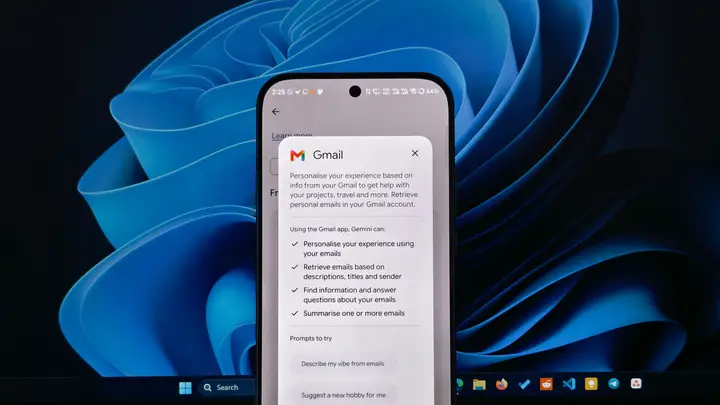
How-To Geek published a first-person account on 19 November 2026 of clearing a cluttered Gmail inbox with Gemini and three built-in Gmail tools. The writer says the inbox had filled with promotional emails, shopping alerts, old conversations and hotel reservations that were no longer needed. The goal was to tidy it before the holiday period.
The first tool was Gemini, opened from the Ask Gemini option in Gmail. The writer typed a request to find promotional emails not opened in the last three months and to list the ones that could be deleted. Gemini searched the inbox and showed the matches for review. According to the writer, it can also archive messages, apply existing labels, mark messages as read or unread, and star them. Before making any change, Gemini showed a confirmation card.
If a user confirms an action by mistake, Gmail gives 60 seconds to undo it, the article says. The writer checked the matches before confirming, so that nothing important was removed by accident.
The second tool was Manage subscriptions, found in the left sidebar. It lists the senders that email the user and shows how often each one writes. The writer unsubscribed from senders he rarely opened, using the small email icon beside each one. The article notes that this does not stop every unwanted message at once, but the clutter should fall over time.
The third set of tools was Gmail search operators. The writer used category:promotions to find promotional mail, older_than:1y to find messages older than a year, and larger:10M to find messages above 10 MB. He reviewed the results and deleted groups of emails in bulk. He said this saved him from opening hundreds of messages one by one.
To keep the inbox clear, he set up filters for recurring emails, such as a weekly newsletter and an account activity summary. He created them from the three-dot menu using the option to filter messages like these. The filters apply a label and skip the inbox, so the messages are kept but do not crowd the main view.
What is not known: the article describes one user's experience, not a formal test. It does not say which Gemini features are available in every region or on every plan, or whether the same menus and options appear on mobile. The menu names may also change. Readers should check their own Gmail settings and Google's help pages before relying on these steps.
Enjoying this? Get the AI brief
Every Thursday: AI that matters for your home.
✓ Free · seven editions · one click to leave
Original reporting by the sources above. Summary by smart-home.space.