AINews wire, 2 h ago
Google's Create My Widget builds Pixel home screen widgets from plain requests
Reported by Android Police
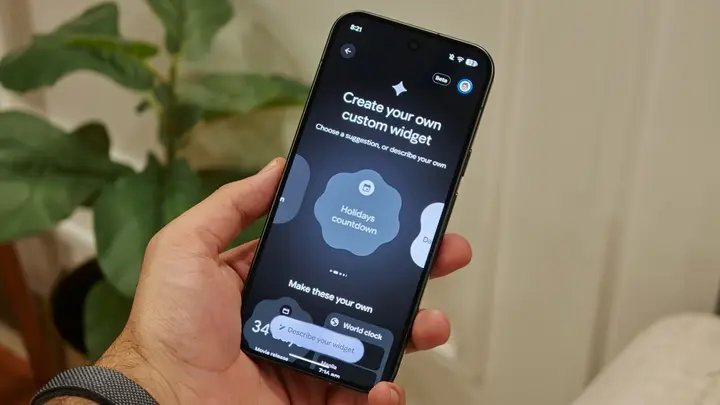
Google has started rolling out Create My Widget, a feature on Pixel phones that builds custom home screen widgets from a short written request. According to Android Police, the rollout began with the November Pixel Drop. Google first showed the tool earlier in the year, when it was linked to Googlebook. The reviewer used it on a Pixel 11 Pro for about a week and built five widgets for everyday tasks.
Access is narrow for now. The feature runs only on the Pixel 10 and Pixel 11 series, and the Pixel 10a is left out. Google says the feature needs a phone that supports Gemini Intelligence, which currently means its flagship Pixel devices only. Owners who do not see the feature yet can join the beta by opening the Google Play link for the app, tapping the tester button, and then updating the app from the store. Once the app is updated, a long press on an empty area of the home screen, followed by Widgets, shows a new Create button in the upper-right corner.
To build a widget, you either choose one of the suggestions or describe what you want in your own words. You can preview the result before adding it to the home screen, and you can ask for changes if the first version is off. Widgets can also draw on your Google account. The reviewer asked for a fixture list showing the next football match with date, kickoff time and venue, a flight tracker, a parcel status pulled from Gmail, a trip countdown, and a reminder list of upcoming birthdays and anniversaries from a calendar synced with Facebook. Each preview needs a short wait before it appears, and the reviewer said the results were more useful than expected for these simple cases.
There are limits. Only five Create My Widget widgets can sit on the home screen at one time. A sixth attempt returns an error until an existing widget is removed. The reviewer found that basic requests usually worked, but complex ones often did not. A request for a clock combining analogue and digital time, together with the calendar date and weekday, returned a standard digital clock instead. In practice, this means you cannot fully control the design.
Some points remain open. The source does not say when the feature will leave beta or whether Google plans a fixed release date. It also gives no timeline for wider Android support. The reviewer argued that Google should extend the feature to all Pixel phones, and suggested that flagship Samsung Galaxy models might get a similar tool or their own version. Those views are the reviewer's opinion and are not confirmed by Google in this report. Readers should treat any future device support as unannounced until Google confirms it.
The reviewer's overall verdict is positive for personal, data-driven widgets, with a clear caveat for detailed designs. Results depend on how clearly the request is written. Test simple ideas first, then add more detail if the first result is close.
Enjoying this? Get the AI brief
Every Thursday: AI that matters for your home.
✓ Free · seven editions · one click to leave
Original reporting by the sources above. Summary by smart-home.space.