AINews wire, 2 h ago
Nvidia RTX upscaling in VLC makes old DVD rips watchable on 4K TVs
Reported by XDA Developers
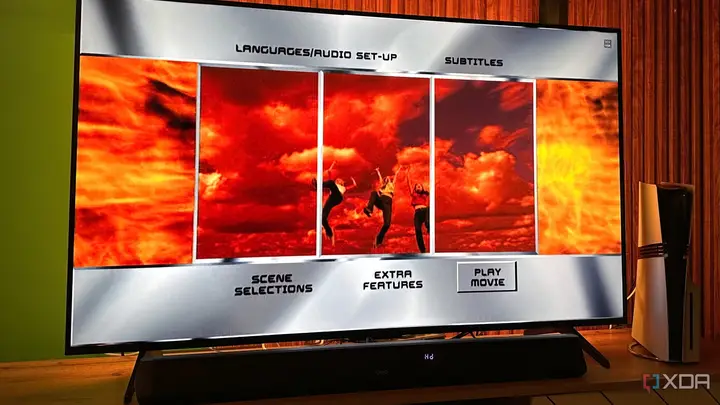
A hands-on test reports that an Nvidia RTX graphics card can upscale old DVD rips to 4K in real time, using the VLC media player. The author ran the test on a PC with a GeForce RTX 4070 Ti, streaming the picture to a 4K television. The article was published by XDA Developers. The author wanted to know whether films already owned could look better without buying a newer version.
The setup needs a 2160p output. Because the PC streamed to the TV, the author enabled GPU scaling in the Nvidia Control Panel and used DLDSR to expose a 4K desktop resolution. VLC must also be a build that supports Nvidia's Video Super Resolution. The author used Direct3D11 as the video output, with upscaling set to Super Resolution. The author says any VLC 3.0.19 or newer works. The feature depends on the graphics driver, so the GeForce driver should be kept up to date.
Three films were tested: Alien, Austin Powers and Charlie's Angels. All came from DVDs ripped years ago, and none had been restored. Dark scenes in Alien stayed muddy, with shadows losing most of their detail. When the lighting opened up, faces, textures and backgrounds looked cleaner than with ordinary scaling. Austin Powers gave the clearest gain. Bright colours and clean shots looked convincing on the big screen. Charlie's Angels showed the limits of the feature. In fast action, hair, arms and moving bodies were distorted, and the smearing already in the source was turned into odd, half-finished shapes.
The author explains why this differs from plain scaling. A standard scaler takes the existing pixels and spreads them across a larger frame. It cannot add detail that was never recorded. The RTX feature uses a neural model. It looks at edges, textures and compression artifacts, then rebuilds detail at the target size. The Tensor Cores on the GPU do the heavy work. The author also warns that this is an informed guess. The GPU cannot know what the DVD lost, so the result is an estimate, not a true restoration.
The author's verdict is that a proper 1080p or 4K remaster still beats an upscaled DVD rip. Where a better version exists, the author would choose it. Where no better version exists, or where buying a second copy of a film already owned would cost money, the upscaled rips were good enough to watch from a sofa. The author sees the feature as a way to get more use from an older library and existing hardware, rather than adding a subscription or a new disc.
The feature suits people who own an Nvidia RTX card and a library of older films, especially those who stream from a PC to a large screen. It does not apply in the same way to other graphics hardware, based on this report. The test is one person's experience on a single setup, with one TV and three films. The article gives no benchmark, no comparison with other GPUs or upscalers, and no measured figures for picture quality. Results will vary with the quality of each source file and the driver version in use.
For readers with large DVD collections, the test points to a low-cost way to try AI upscaling at home before paying for remasters. The result depends on the scene. Bright, clean material improves most, while dark or fast action can still look poor. Each source should be checked on the actual screen before deciding what to keep.
Enjoying this? Get the AI brief
Every Thursday: AI that matters for your home.
✓ Free · seven editions · one click to leave
Original reporting by the sources above. Summary by smart-home.space.