AINews wire, 9 h ago
Running local LLMs in a Proxmox container: GPU sharing and speed on Strix Halo
Reported by XDA Developers
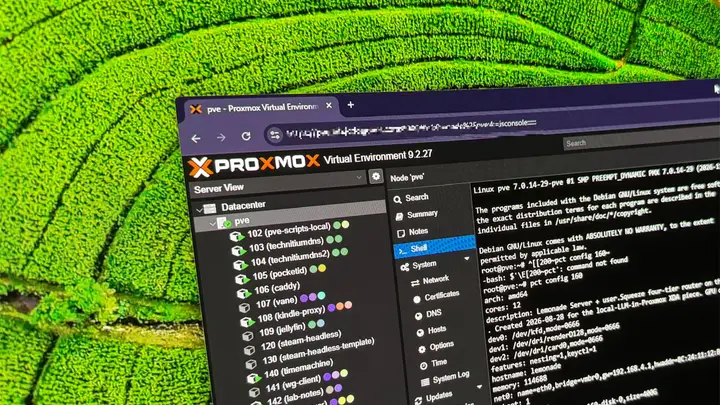
A home lab user reports that running a local large language model inside a Proxmox LXC container on an AMD Strix Halo mini PC performs close to bare metal, according to a hands-on account published by XDA Developers.
The author moved a local AI setup from a virtual machine idea to an unprivileged LXC container. The container shares the host kernel, so it does not need the whole integrated GPU passed through. Instead, three device mappings expose the GPU compute interface and render nodes to the container. The author says the API refused the device changes with a 403 error, because only the root account can configure device passthrough, so the mappings were added from the host shell.
Memory allocation is a key point. The BIOS was changed from automatic to a specified mode with 512MB reserved. A kernel parameter then lets the GPU borrow up to 100GB of system memory. Memory use now follows the loaded model. The author reports about 7GB for a 9B model and around 60GB for gpt-oss-120b, and the memory returns to the system when models unload.
Backend choice changed speed a lot. The default Vulkan backend barely used the GPU inside the container. According to the author, forcing ROCm tripled generation speed for a 9B test model. Saved options apply per model, so each model needs the setting. The author also says the status command does not show which backend is active; only the server log does.
For gpt-oss-120b, the author reports 36 to 42 tokens per second in the container during an October project. That is about double the August figure of 19 tokens per second. The author compares this with a laptop running the same chip and memory on Windows, but notes the test was not lab-grade. The laptop used a different runtime and a short prompt.
The container is not faster for every model. For Qwen3-Coder-30B-A3B, the author reports that Vulkan was fastest on bare metal, but inside the container only ROCm was usable. The author advises benchmarking each model on both backends.
The author also upgraded the runtime several times using ZFS snapshots taken before each change. The article ends mid-section, so details of the later upgrade results and the saved settings are not fully reported here.
What is still unknown: the exact benchmark conditions for the laptop comparison, and how the setup behaves on other hardware or with other containers running at the same time.
Enjoying this? Get the AI brief
Every Thursday: AI that matters for your home.
✓ Free · seven editions · one click to leave
Original reporting by the sources above. Summary by smart-home.space.