GadgetsNews wire, 53 min ago
Apple Watch Taptic Time: how to read the hour through vibration
Reported by Engadget
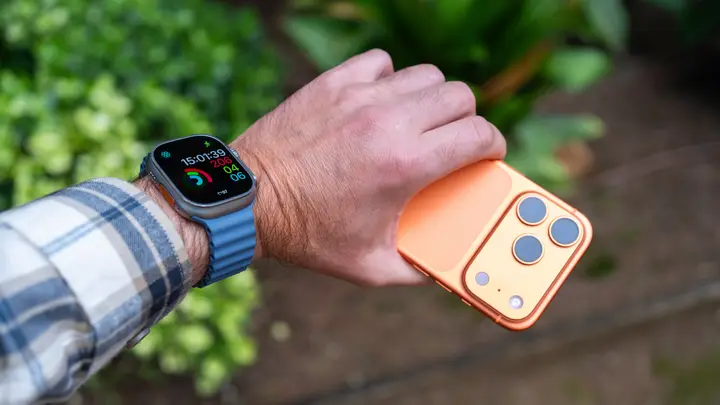
Apple Watch can tell the time through vibration instead of the screen. The feature is called Taptic Time, a name that refers to the Taptic Engine, the motor that produces haptic feedback. Engadget describes it as useful for people for whom a visual check is not an option.
To switch it on, open Settings on the watch, choose Clock, then Taptic Time, and turn the toggle on. Three modes are then offered: Digits, Terse and Morse Code. The reporter advises most people to skip Morse Code, which is hard to read without training.
Terse uses long pulses to mark each five hours after midnight, short pulses for extra hours, and long pulses again for quarter-hour steps. The article warns that a 15-minute margin of error could mean a missed flight or ride. Digits is presented as the most precise option. It uses long pulses for tens and short pulses for ones, and applies this to both hours and minutes.
VoiceOver users have a second route: a quick double tap on the dial, when the display is off, starts it. Apple notes that the feature does not work at all if the watch always speaks the time. In that case, the setting that links spoken time to the silent switch must be enabled in Clock settings.
The article's view is that most people will not need the feature. Repeated vibrations can be irritating, and recent models have motors strong enough that alerts can feel startling. The main beneficiaries are people with visual impairments, who can still use fitness tracking and music control with the right accessibility settings. Someone with good eyesight who wants more time awareness could try Terse, the least intrusive mode. People whose jobs or hobbies make checking a wrist impractical may also find it useful.
The article does not say which Apple Watch models support the feature, or whether it works in every language. For smart home users, this is an accessibility option on the watch, not a home control feature. Anyone who might need it can switch it on now and try each mode while sitting still, so the patterns feel familiar before they are needed.
Enjoying this? Get the Gadgets brief
Every Monday: the gadgets worth your money.
✓ Free · seven editions · one click to leave
Original reporting by the sources above. Summary by smart-home.space.