GadgetsNews wire, 13 h ago
Bose headphones: the settings you have to switch on by hand
Reported by Engadget
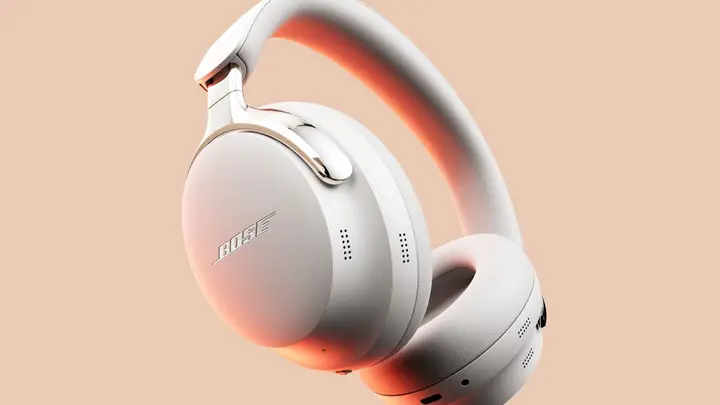
Bose headphones sound good straight out of the box, but several useful features stay off until you turn them on in the companion app. A report by Engadget, published on 17 November 2026, lists the settings owners should check first. The list covers the equalizer, multipoint connections, noise-canceling modes, shortcuts and sidetone, which Bose calls Self Voice.
Not every model has every setting. Newer QuietComfort headphones offer a few extra features that first-generation QuietComfort Ultra and QuietComfort models lack. The Bose app is needed for anything beyond the basic settings, because the controls on the headphones are limited.
The equalizer adjusts sound across three bands: bass, mid and treble. Bose provides preset profiles, so owners can pick one and then adjust it to their taste. The report notes that Bose headphones are often criticised for boosting bass too much by default, so lowering the bass is a sensible first step. The equalizer sits on the home screen of the app, under EQ.
Multipoint lets the headphones stay connected to two audio sources at the same time, so switching from a phone to a laptop does not require disconnecting and reconnecting. It is available on compatible models but has to be enabled. The option sits in the app's Settings section, under Bluetooth Connections. To change source, pause the audio on one device and press play on the other, or switch inside the app if the handover does not happen. The report adds that Bluetooth multipoint does not always work perfectly.
Noise-canceling modes can be chosen in the Modes menu. QuietComfort Ultra headphones start in Quiet mode, which blocks most outside sound. Aware mode lets sound in so the wearer can hear the surroundings. Newer models add Immersion mode, which aims to make music feel as if it comes from a stage in front of the listener, and Cinema mode, which makes dialogue clearer when watching films and shows. Owners can also build custom modes by choosing which noise-canceling features to switch on. A memory option in the Settings menu can keep the most recent choice.
Shortcuts are assigned to a touch-sensitive strip on QuietComfort Ultra models, or to the Action Button on older models. In the app, the Shortcut option lists choices that depend on the model. These include hearing the battery level, cycling through Immersive Audio settings, and moving between previously paired Bluetooth devices. Headphones accept one shortcut, while some earbuds allow a different one for each ear. Shortcuts can also be turned off entirely to avoid accidental triggers.
Self Voice controls sidetone, the amount of the wearer's own voice fed back through the headphones. This helps calls feel natural, especially with noise canceling switched on. It is not on the home screen. Open the Settings gear icon, find Self Voice, then pick a level from three options or disable it. When it is active, it turns on automatically during calls.
The source does not say which models receive each feature beyond the general split between newer and older headphones. Model support and exact menu names may vary with firmware and app versions, so owners should check their own app before assuming a feature is missing.
Enjoying this? Get the Gadgets brief
Every Monday: the gadgets worth your money.
✓ Free · seven editions · one click to leave
Original reporting by the sources above. Summary by smart-home.space.