GadgetsNews wire, 22 h ago
Five lesser-known Apple Watch features for tips, safety and wake-up alarms
Reported by Tom's Guide
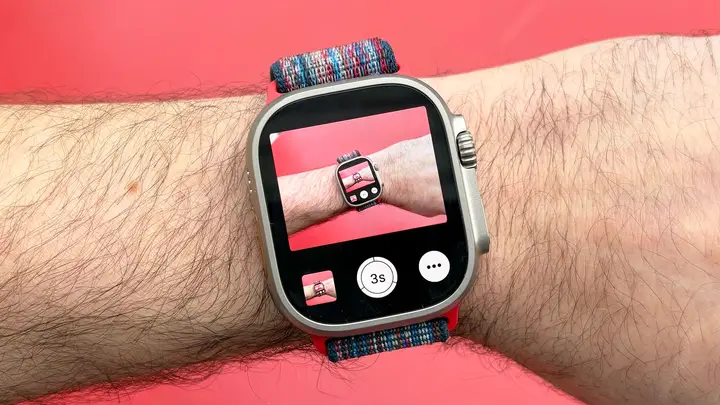
Tom's Guide has published a list of five Apple Watch features that its smartwatch editor, Dan Bracaglia, says he uses regularly. The piece is a personal pick rather than an announcement. It expands an earlier round-up of seven hidden features. Some of the features were added with the recent watchOS 27 release, while others have been part of the watch for years.
The first feature is a tip button in the built-in Calculator app. The user enters the total of a bill and taps the tip option. A screen then appears where the user can enter a tip percentage and the number of people paying. The app then calculates each share, which makes splitting a bill with friends simpler.
The second feature is a single-tap gesture. Apple introduced a double-tap gesture for the watch in 2023. The double tap lets users answer a call, close an app, stop a timer or pause music by touching the thumb and index finger together. In 2026 Apple added a single-tap version that works the same way with one tap. The gesture is set up under Settings and then Gestures. The author has set the double tap to open the Smart Stack and the single tap to open the most recently used widget.
The third feature is Check In, a safety tool that keeps chosen contacts informed of the user's location at key moments. The author gives an example: a Check In started when leaving home can alert a partner automatically on arrival at a set destination. Runners can use it to let trusted people know when they set out and when they return home safely.
The fourth feature is Backtrack. It works like a digital trail of breadcrumbs. If a user gets lost, the watch can guide them back to the starting point with turn-by-turn directions. According to the article, it works both in cities and in natural settings. The author recommends it especially when visiting new places.
The fifth feature is the silent vibration alarm. This is not new, but the author uses it every day. Because the author starts work early and does not want to wake a sleeping partner or a puppy, the alarm is set to silent. The wake-up alert then vibrates on the wrist instead of sounding. The author describes this as a gentler way to wake up.
What this means for you: if you own an Apple Watch, several of these tools need no extra app and can be checked in the settings today. The gesture option and Backtrack are the most useful for safety and daily convenience. Check In needs the contacts you want to share your location with, so set those up before you need them. The silent alarm is a simple change for light sleepers or shared bedrooms.
What is still unclear: the article does not list which watch models support the single-tap gesture or the other features in full, and it does not say how long the tools have been available in each region. It is also a single outlet's personal view, not independent testing of each feature. Readers who want to check support should review the watch settings and the current watchOS version on their device.
Enjoying this? Get the Gadgets brief
Every Monday: the gadgets worth your money.
✓ Free · seven editions · one click to leave
Original reporting by the sources above. Summary by smart-home.space.