GadgetsNews wire, 4 h ago
Four Android emergency settings to set up before you need them
Reported by How-To Geek
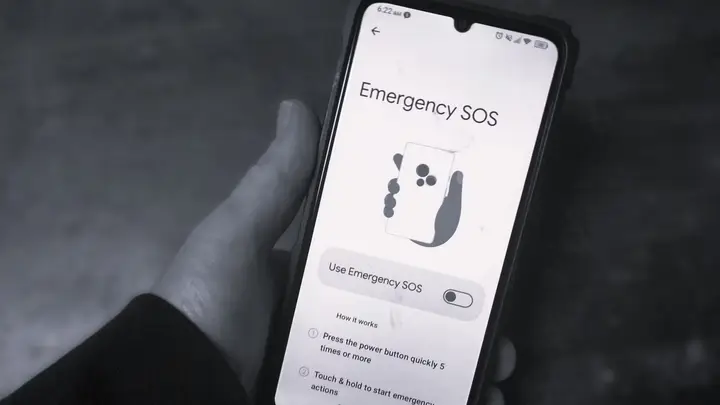
How-To Geek, in an article dated 22 November 2026, says that Android phones include built-in emergency and safety tools that many owners never set up. The outlet argues that a phone is usually with its owner, so it can hold medical information that a paper card might lack. The article lists four settings to check. Its point is simple: set them up now, before an emergency.
The first setting is medical information on the lock screen. The owner adds health details and sets them to show even when the phone is locked. Responders can then read the information without unlocking the phone. The article also suggests adding several close contacts, so that responders can reach someone else if the first contact does not answer. The menu path differs by brand. On Samsung phones the option sits under Safety and emergency, on Pixel under Safety & emergency, and on other phones the article expects it under About phone or emergency information.
The medical form asks for blood group, known allergies, current drugs, organ donation status and free notes. The owner enters a full name first, then adds the details, then chooses family members as emergency contacts. Responders reach this form by swiping up on the lock screen, selecting Emergency and then Emergency information.
The second setting is Emergency Location Service. When it is on, the phone sends its location to responders during an emergency call. The article says this can speed up arrival times. It also says no other location options need to be switched on for the service to work. On Pixel and Samsung phones the setting sits under the safety menu, and on other phones the article places it under Location, then Advanced.
The third setting is crash detection, which the article describes as exclusive to Pixel phones, including the Pixel Fold and Pixel 4a or newer models. The owner must first add at least one emergency contact and turn on the location option. Then the owner turns on car crash detection, and can optionally turn on emergency sharing. After a crash alert the owner has 60 seconds to cancel it, whether the alert is a false alarm or a harmless incident. The article quotes Google as saying that crash detection still works with location service off, but that leaving it on is the better choice.
The fourth setting is Emergency SOS, which the article says is available on Android 12 or later. Setup walks the owner through the local emergency number, sharing location with contacts, calling emergency services and recording video. The owner can choose either touch and hold to start actions, or an automatic start after a five-second countdown. An alarm sound can also be turned on. The article warns that steps may vary by phone model, and that the options can appear in different menus.
To trigger SOS, the article describes tapping the side key at least five times, then either holding the on-screen control or waiting for the countdown. The phone then follows the settings the owner chose. The article admits that the setup has many options, but says that going through all of them is worth the time.
The article argues that paper medical cards can be lost or damaged by water, fire, theft or snow. Digital details on the phone are harder to lose. With medical information, location and contacts available on the lock screen, responders have a better chance of finding and treating the owner.
The article does not give figures on how often responders check phones in emergencies. It uses US emergency numbers as examples, so readers should use their own local emergency number. Exact steps and menu names depend on the phone maker and Android version, and the article does not cover every model.
Enjoying this? Get the Gadgets brief
Every Monday: the gadgets worth your money.
✓ Free · seven editions · one click to leave
Original reporting by the sources above. Summary by smart-home.space.