GadgetsNews wire, 47 min ago
Good Lock: Samsung's free plugin app for customising One UI on Galaxy phones
Reported by XDA Developers
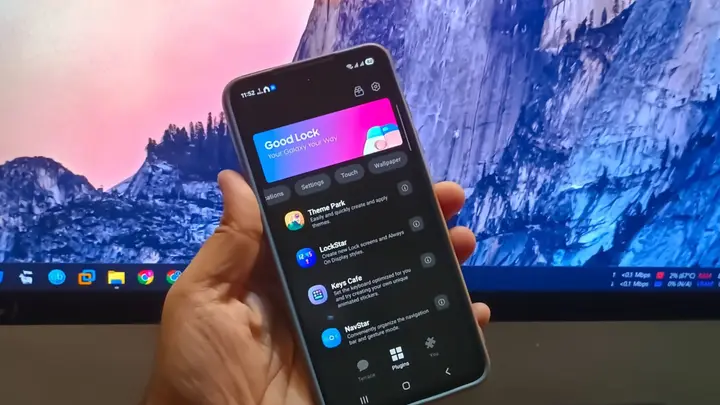
Samsung's customisation app Good Lock is easy to miss, according to XDA Developers. The app sits in Samsung's official app store, and the article argues that many Galaxy owners never install it. Good Lock is not one app with a long list of settings. It is a set of plugins, and each plugin changes one part of One UI, the software on Samsung phones.
The plugins cover the main screens. QuickStar changes the look of the Quick Panel and can hide the status icons a user finds annoying. LockStar adds elements to the lock screen. Home Up can redesign the home screen, add a finder tool, hide the favourites row and change app icons. NavStar edits the three-button navigation bar. Users can add a fourth button, move the buttons to one side, which the author says suits large phones, and change the icon for each button. Task Changer offers a slimmer list for recent apps, and the Edge panel can hold more items.
Other plugins add functions that the phone does not include by default. NotiStar keeps a notification history, so important alerts are not lost when a user clears the notification panel. The user chooses which apps it watches and can add keywords, such as a contact's name or a bank account number, to filter alerts. It also captures notifications from dual apps such as WhatsApp, and the backup can stay on the phone for a year. Routines+ extends the built-in Modes and Routines feature. It can start routines from a button press, set up custom sleep or focus modes and record touch macros. The article says it is aimed at more advanced users than the presets in the Discover section of Modes and Routines.
The article also praises the app's integration with the phone. It describes Good Lock as free of ads and says its features do not depend on a separate freemium app. Because Samsung maintains the app itself, the author expects fewer compatibility problems than with third-party tools, and fewer permission problems. The author also suggests that Samsung should replace some of the preinstalled bloatware on its phones with Good Lock.
The article is one reviewer's opinion. It does not test the plugins with measured results. It also does not give a list of supported Samsung models or One UI versions, a download size, or a release date for the current version. Readers should check the app page in Samsung's store to see which plugins their phone supports before installing anything.
The author compares One UI with the custom Android experience on Google Pixel phones and rates the two as close in quality. Good Lock is presented as a way to go further than the default settings, without installing a third-party launcher. Some of the plugins described here, such as the notification and home screen changes, overlap with other hidden Galaxy and Android settings that our desk has covered. Those stories are listed as related reading.
Enjoying this? Get the Gadgets brief
Every Monday: the gadgets worth your money.
✓ Free · seven editions · one click to leave
Original reporting by the sources above. Summary by smart-home.space.