GadgetsNews wire, 2 h ago
Google adds photo backup to PCs through Quick Share, not its servers
Reported by How-To Geek
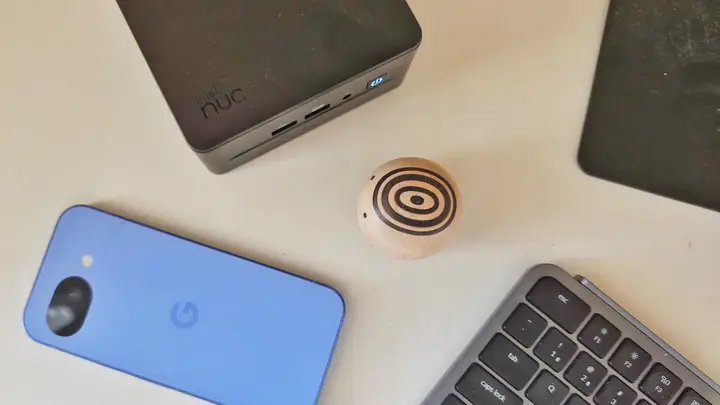
Google is rolling out a way for Android users to back up their photos to their own PC. According to How-To Geek, the feature uses Quick Share and sends pictures to a computer rather than to Google's servers. The source reports the rollout but gives no start date, list of supported phones, or setup steps from Google itself, so these details rest on one outlet.
The change is aimed at people who want to keep photos off cloud storage. Instead of a cloud copy, the photos stay on hardware the owner controls. This matters for households that already run a home server, a NAS or a spare PC, because the files can stay at home rather than with a large company.
The same author describes a longer-standing route that needs no Google app: Syncthing. Syncthing keeps files in step between devices and does not upload them to the web. On Android, the official Syncthing project no longer publishes an app, so the reviewer recommends Syncthing-Fork, a community-maintained version. It is available on the Google Play Store and on F-Droid.
Setup takes some practice. The user installs Syncthing on the PC and Syncthing-Fork on the phone, then chooses a folder to keep in step. Devices on the same network may pair automatically. Otherwise, the user scans QR codes or copies device IDs. For photos, the source suggests the Camera or DCIM folder. Sync can run in both directions or only from phone to PC.
The source stresses one limit: sync is not a backup. If a file is deleted on one device, it is removed from the other once both devices connect, and deleted files stay in the trash for a set number of days. The reviewer recommends a separate backup that follows the 3-2-1 rule: three copies, on at least two kinds of media, with one copy off-site. Tools named include Time Machine, Pika Backup on Linux, and an external drive kept with a friend or relative.
For readers who prefer a ready-made product, the source names network-attached storage. The author now syncs a phone to a UGREEN NAS. Synology's BeeStation is named as a simpler option for smaller storage needs. The author adds that a NAS can still fail, even with RAID, so a backup plan is still needed.
What is still unknown: which Android versions and phones get the Google feature, whether it is free, how it handles existing photos, and whether it works with Windows, macOS or Linux. The source does not say. Readers should check Google's own notes when the feature reaches their phone.
Enjoying this? Get the Gadgets brief
Every Monday: the gadgets worth your money.
✓ Free · seven editions · one click to leave
Original reporting by the sources above. Summary by smart-home.space.