GadgetsNews wire, 5 h ago
Phone shows no service or no SIM card? Common causes and how to fix them
Reported by Engadget
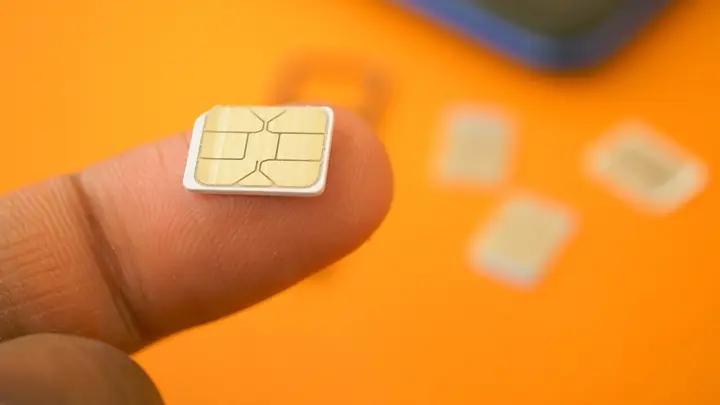
A phone that shows a no SIM card alert or a no service message cannot make ordinary calls or send texts. Engadget has set out the usual causes and basic fixes, and this summary follows its main points. The SIM card links your handset to your mobile carrier, so a fault with the card stops standard calls and messages. The phone itself usually still powers on and runs its other features.
The first check is physical. A SIM card can come loose after the phone is dropped, or if it was not seated correctly during a repair. Taking the card out and putting it back in may fix the problem. A SIM ejector tool is the easiest way to do this, but a paper clip or safety pin can usually do the same job.
Next, rule out a carrier outage. If another device on a different network can reach the internet or make a call, the fault may be limited to your provider. Asking a friend or family member who uses the same carrier whether their phone works can confirm an outage or rule it out.
Phones that use an eSIM, a digital SIM that replaces the physical card, can have their own problems, especially when travelling abroad. On an iPhone, eSIM settings sit under Cellular or Mobile Data. On Android they are in a setting called SIM Manager. The guide suggests turning on data roaming, which may solve some travel-related faults.
Software causes are also common. Toggling airplane mode on and off is a quick first step, and it is reached by swiping down from the top of the screen. A network reset is another option. According to the guide, it does not affect personal files, but you will need to sign back in to Wi-Fi and some other connections. On an iPhone the reset is under Transfer or Reset in Settings. On Android it is under Reset Options.
Check your account as well. If a bill is unpaid, the SIM may stop connecting to the network, and service may be suspended for another reason. Location can also cause the symptom. Weak coverage or a tower blocked by an obstacle can leave you without signal, so moving to another spot may help.
The guide does not say how common these faults are, how long a carrier outage usually lasts, or which carriers are affected.
Enjoying this? Get the Gadgets brief
Every Monday: the gadgets worth your money.
✓ Free · seven editions · one click to leave
Original reporting by the sources above. Summary by smart-home.space.