GadgetsNews wire, 47 min ago
Pixel Quick Tap: how a double tap on the back can speed up daily phone use
Reported by Engadget
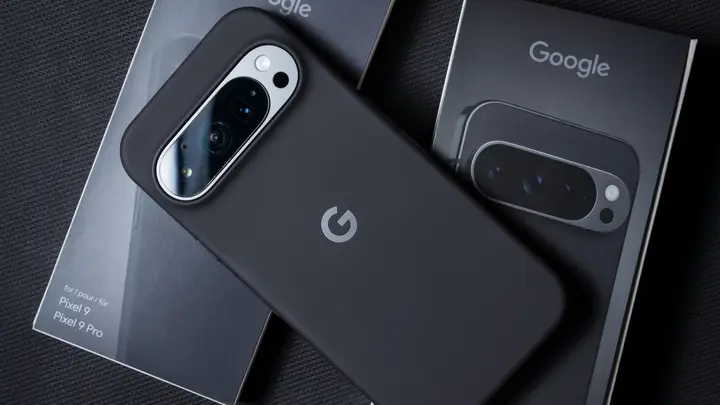
Engadget reports that a little-known feature on Google Pixel phones, Quick Tap, can do more than many owners expect. The article argues that it is an older but dependable option that lets you run a common task with one hand, without opening menus.
The piece begins with recent software changes. It names Android 17 QPR2 and a November 2026 Pixel Drop, which improved Pixel Search, added customisable icon styles, introduced Transit Mode for train riders, added real-time location sharing with Pixel VIPs and brought a new status bar settings menu to Pixel 6a and newer models. Gemini Intelligence, Extreme Charging Mode and other extras arrived on the Pixel 10 and 11 as well. Quick Tap, however, is the feature the author wants readers to look at.
Quick Tap turns the back of the phone into a shortcut. A double tap triggers one action that you choose. The feature is available on the Pixel 4a (5G) and newer models. The setting sits in the Settings app under System, then Gestures, then Quick Tap to start actions.
Possible actions include switching the flashlight on or off, even when the phone is locked, and taking a screenshot without pressing two buttons together. The feature can also pause or start music, videos or podcasts in most streaming apps. The writer notes that this helps when you are driving, cooking or exercising, because you do not need to unlock the phone or find the app. Other choices include waking Gemini, pulling down the notification shade, opening the app overview to switch between recent apps, or launching any installed app. Only one action can be assigned at a time, so the writer suggests choosing the one you use most.
Cases affect how well the taps register. According to the article, Quick Tap works well on a bare phone. A very thick case may block the taps, while lighter cases should work without much effort. If the feature does not respond, check the Require stronger taps option, which is meant to stop accidental triggers, and turn it off if it is on. Moving your finger to a different spot can also help. If you use a magnetic accessory on the back, you may need to find its sweet spot. On foldables, the Pixel 11 Pro Fold and the Pixel 9 Pro Fold respond to taps on the back glass, whether the device is open or folded.
For more control, third-party tools can extend the feature. The Tap, Tap app adds double-tap and triple-tap support and offers more than 50 actions. A free pop-up menu or folder app can open a list of frequently used apps with a double tap. The phone also has built-in Gestures under Settings, then System, then Gestures. These can open the camera or Google Wallet with a double press of the power button, and a long press can summon Gemini. Flip to Shhh turns on Do Not Disturb when the phone lies face down. A lift or tap can show the time and notifications.
For a smart home, the author suggests assigning Quick Tap to the app that controls your devices, so that you can act quickly. Another option is opening Google Wallet to pay at a shop. The article presents tapping as easier than unlocking the phone or swiping through apps, especially when one hand is busy.
The source does not say whether every option works the same on all Pixel models, and it does not address how these features may change in later updates. It also gives no test results across different cases or phones. The report covers features that already exist, and it does not announce any new product or policy.
Enjoying this? Get the Gadgets brief
Every Monday: the gadgets worth your money.
✓ Free · seven editions · one click to leave
Original reporting by the sources above. Summary by smart-home.space.