GadgetsNews wire, 12 h ago
Test a TV remote's batteries with your phone camera
Reported by Engadget
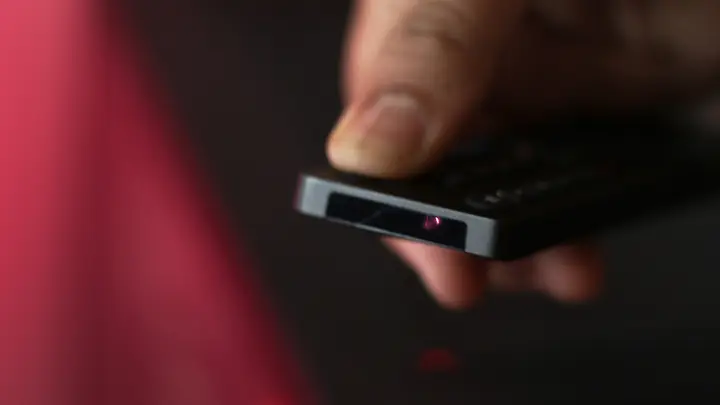
A phone camera can show whether the batteries in a TV remote still have enough power. The method works because the remote sends basic commands to the TV as infrared light. Engadget reports the trick in a short how-to piece.
Most remotes send some commands, such as power, through a small infrared LED at the front. Many newer remotes also use Bluetooth for features like voice control, but they often keep infrared for the power button. To test a remote, open the camera app, point it at the front of the remote, then press and hold a button while watching the screen. A flashing light, usually slightly purple, suggests the batteries have enough charge. If a button produces no flash, that command probably uses Bluetooth instead.
The test has limits. A damaged button may send no signal at all, so no flash appears even when the batteries are fine. Some remotes hide the emitter behind dark plastic, which makes the LED hard to find.
The source also suggests using a phone instead of the remote. Some Android phones have built-in IR blasters that work with an IR remote app. Smart TV systems such as Android TV and Fire OS let a phone act as a remote through a companion app. The phone and the TV need to use the same account and the same Wi-Fi network. For Google TV and Android TV, the Google Home app is named as one option. It can handle navigation, volume and search, using the phone keyboard for text. If the virtual remote cannot switch the TV on, the TV's network standby setting, sometimes called Wake-on-LAN, may need to be turned on.
The article does not say how well the test works on every remote model, or how often a remote with a working flash still fails for other reasons.
Enjoying this? Get the Gadgets brief
Every Monday: the gadgets worth your money.
✓ Free · seven editions · one click to leave
Original reporting by the sources above. Summary by smart-home.space.