GadgetsNews wire, Yesterday
Wake-on-LAN lets a home NAS sleep and wake on demand
Reported by XDA Developers
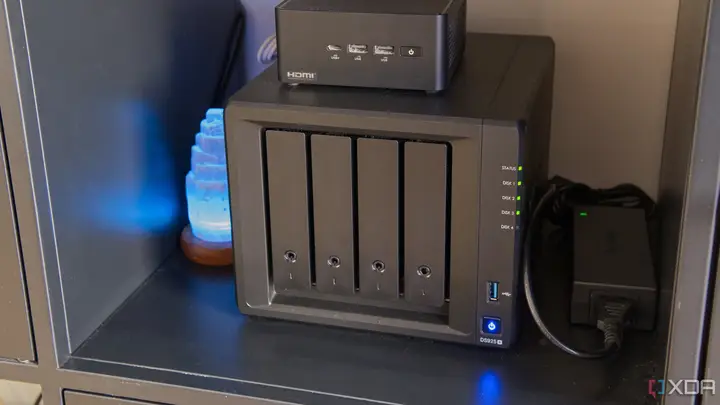
A reader report from XDA Developers, dated 20 November 2026, describes a way to keep a home network storage box (NAS) asleep for most of the day and wake it only when needed. The author uses a Synology DS923+ that serves a Plex media library and receives phone backups.
The usual power-saving option, drive hibernation, did not work for this owner. According to the article, Synology lists several services that stop drives from hibernating, including DDNS, Plex and QuickConnect. A constant SMB link from a desktop computer also keeps the disks awake.
The fix the author chose is Wake-on-LAN. It is a network standard that lets a device be switched on remotely while it is on the same network. A special packet carrying the target's MAC address is sent over a UDP port, and the sleeping device's network card picks it up.
There are limits. Wake-on-LAN only works after a proper shutdown, either with the power button or the DSM shutdown option. The power cord must stay connected. The feature is available only on some models, and it does not work on 10GbE ports.
The steps described are for Synology DSM. In Control Panel, under Hardware & Power and then General, the owner enables WOL on LAN 1, and on LAN 2 if a second port is used. DSM also asks that automatic restart after a power problem be turned on. Next, a nightly shutdown task is created under Power Schedule. The author does not create a startup task, so the NAS comes back only when it is woken.
To wake the box, the author uses Synology Assistant on a PC, which lists the NAS devices on the network and offers a wake-up command. On a phone, the DS finder app can do the same. In both cases the NAS must be on the same network and must already be set up for Wake-on-LAN.
The main cost is time. The NAS needs a couple of minutes to become ready after a wake-up call. The author says this is acceptable and has become a habit. The article also says the drives no longer run around the clock, which the author expects to extend their working life.
The article notes that the method does not suit everyone. Users who run home automation or other services that need the device active 24/7 will need to keep it on. The author's own case is someone who uses the NAS for an evening film and occasional backups.
What the article does not cover is also worth noting. It gives no figures in watts or euros for power savings, and it does not test how much longer drives last. Those points rest on the author's own experience with one device.
Enjoying this? Get the Gadgets brief
Every Monday: the gadgets worth your money.
✓ Free · seven editions · one click to leave
Original reporting by the sources above. Summary by smart-home.space.