GadgetsNews wire, 14 h ago
Why smart home devices belong on their own VLAN, and how to set one up
Reported by XDA Developers
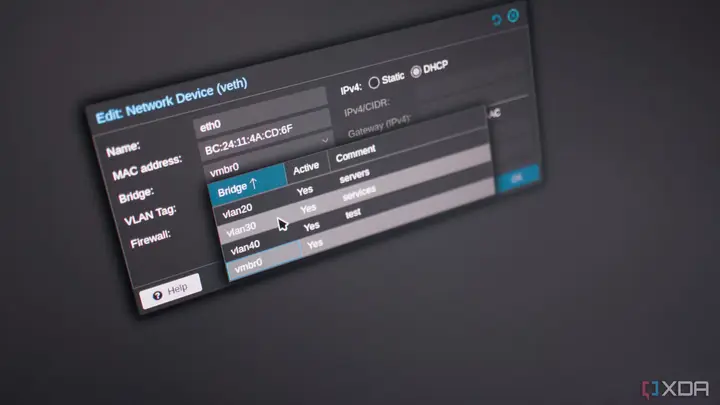
XDA Developers describes a home network owner who moved smart home devices off the network that holds his PC. The method uses virtual LANs, or VLANs, to split one physical network into separate zones. The article argues that IoT gear often has weak spots, may run outdated software, or may send data to distant servers, so it should be kept apart from laptops, desktops and storage.
The author says a VLAN does not need extra switches or cables. The same hardware can carry several virtual networks, as long as the switches and wireless access points support them. Devices in each network stay separated at the Ethernet layer, while they still share the same internet connection. In his setup, the lab and network equipment sit on one subnet and trusted computers sit on another.
Creating VLANs alone does not stop traffic between them. The article stresses that firewall rules do the real work. In the example, an OPNsense firewall also handles routing and sets which traffic may pass. An IoT device can be allowed to reach its manufacturer's servers but not a desktop PC or network storage. A device that needs no internet access can be blocked from the wider internet entirely.
Home Assistant needs special handling. It has to talk to some devices on the IoT network, so the author opens only the direct connections it needs instead of whole networks. The article notes that essential services such as DNS and DHCP must still be allowed, or some integrations stop working. Guests can be placed in a separate network as well. In the example, a guest can use a streaming service but cannot reach the security cameras or the firewall.
The article says that setup is not very technical on an ISP router that supports VLANs, or on a do-it-yourself firewall running software such as OPNsense. The hard part is writing the rules carefully and checking them. The piece is a personal account from a home lab user, not a news report, so it does not test specific consumer products or survey how common this setup is.
Several points are not covered. The article does not name the smart home brands it used, and it does not list which consumer routers support VLANs. It also gives no figures on security incidents linked to unsegmented networks. Readers should check their own router or access point documentation before changing any network settings, and should make a backup of the current configuration first.
Enjoying this? Get the Gadgets brief
Every Monday: the gadgets worth your money.
✓ Free · seven editions · one click to leave
Original reporting by the sources above. Summary by smart-home.space.