GadgetsNews wire, 3 h ago
Send photos and videos to Google TV over Wi-Fi with LocalSend, no USB drive needed
Reported by Pocket-lint
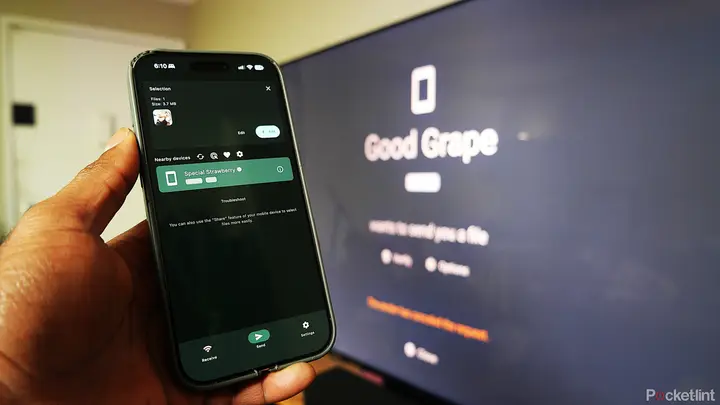
A reviewer at Pocket-lint describes a way to move personal photos and videos onto a Google TV without a USB flash drive. The method uses LocalSend, a free file-sharing app that runs on iOS, Android, Mac, Windows and Linux, as well as on Google TV and Google-based streamers. The author says the same steps can also load wallpapers and screensavers when a third-party launcher is used.
LocalSend must be installed on the sending device and on the TV. No account is needed. According to the developer, the app has no ads or trackers and uses end-to-end encryption. It works without an internet connection and only connects devices on the same local Wi-Fi network. The article notes that the app has more than 93,000 GitHub stars and 35 million downloads in total.
To send a file, open the Send tab on the phone and pick the device from the list of nearby devices. Choose Media or File, select the photos or videos, and confirm. The TV then shows a prompt asking whether to accept or decline the transfer. A progress bar appears while the file arrives, and the TV shows the file name and location once it is done. The author also suggests adding the TV to Favorites so it is easier to find later.
The reviewer says the method suits three situations: when there is no network-attached storage, when a wall-mounted TV makes its USB port hard to reach, and when a user would rather skip copying files to a drive, plugging it in, and browsing it with a file manager on the TV. The author gives examples such as showing home videos at family gatherings, reviewing workout form checks on a larger screen, and reviewing dance, climbing or lifting footage.
The article does not give transfer speeds or file size limits, and it does not test the method on other TV models. The author used a TCL QM7L SQD-Mini LED set with Google TV and says the steps should work on most Google TV devices. The article is a tutorial from a reviewer, so the claims about the app come from the developer and from the author's own use.
Enjoying this? Get the Gadgets brief
Every Monday: the gadgets worth your money.
✓ Free · seven editions · one click to leave
Original reporting by the sources above. Summary by smart-home.space.