AINews wire, 19 Nov 2026
Claude's built-in browser keeps AI research away from your logins
Reported by XDA Developers
A reviewer writing for XDA Developers on 19 November 2026 says they have stopped using AI browsers and now rely on the built-in browser in Claude's desktop app. The article argues that AI browsers ask users to move their whole browsing life into a new program. The reviewer notes that Comet is now free, while Dia has placed its AI features behind a $20 monthly plan. OpenAI's Atlas closed in August, and its browsing features now sit inside ChatGPT's desktop app.
The reviewer says many people who try AI browsers drift back to Chrome, which now has optional AI features of its own. An agent working inside the same browser as your accounts is a concern. The reviewer accepts that most useful AI web tasks, such as reading, comparing and summarising pages, do not need access to accounts.
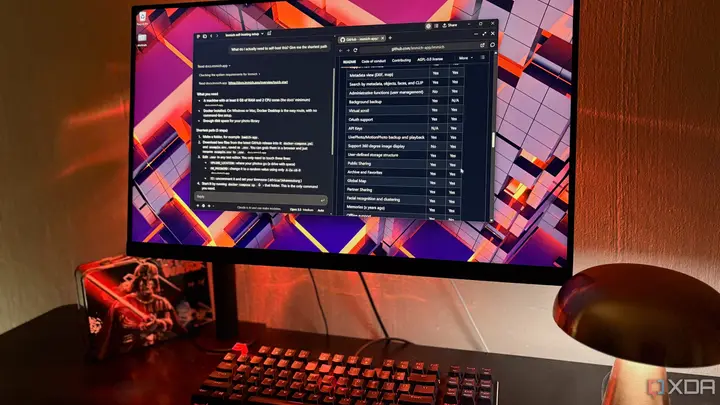
According to the article, Claude's browser has been part of Cowork since August and came to regular chat in September, when Cowork and Chat merged. When a request needs a website, a pane opens beside the chat and Claude works there. Users can watch the activity live. Claude can open and read pages, click through them and fill in forms when a task needs it. The pane also has tabs and an address bar that people can use by hand. No extra install is needed, because the browser engine is part of the desktop app.
The reviewer does not use the Claude in Chrome extension. The pane is kept apart from the main browser, where the reviewer holds all logins. This is partly about prompt injection, which the reviewer treats as the main risk, and partly about avoiding accidental actions on important accounts. An import option can carry cookies across for each site, but the riskier categories, such as bank and mail accounts, start switched off. The reviewer says they have never used the import and do not sign in to accounts in this pane.
Search works differently here. Claude runs its own web query first and then opens the results in the pane. The reviewer says there is no extra charge beyond a paid plan, but the activity counts toward normal Claude usage. Claude asks for permission the first time it acts on a new website. According to the reviewer, Anthropic has said that hidden text on a page can still try to steer Claude off task, so it is best used on sites you already know.
For research, the reviewer describes opening many pages in separate tabs inside the pane and building a comparison table in the chat. The table can go into a Google Doc, or into an Obsidian vault through a filesystem tool. Because Claude reads whole pages, the table can include fine print, such as a price that applies only to annual payment. For long articles and older papers, Claude pulls out key points and dates, each with a source tag. The pages stay open so the user can check them.
Before installing an open-source or self-hosted tool, the reviewer asks Claude to check the project page and report how many stars it has and when the code was last updated. These figures show how widely the tool is used and whether it is still maintained. Claude can also read release notes, explain changes in plain terms, and read official setup documents to list requirements and the shortest steps. The reviewer says this has helped them avoid problems that would otherwise appear partway through a setup. The article also reports one error: star counts came from an earlier read and did not match the live page, so the reviewer now checks the live repository directly. The chat log lists every page Claude visited.
The reviewer concludes that switching browsers was not needed. They never wanted AI inside the browsers they use for work and personal life, and this setup keeps Claude away from logins and private data. The reviewer also says Claude can see their full session history, which lets research link back to earlier sessions. The article is a personal account. It does not report independent testing, and it does not give the exact usage cost of research sessions.
Enjoying this? Get the AI brief
Every Thursday: AI that matters for your home.
✓ Free · seven editions · one click to leave
Original reporting by the sources above. Summary by smart-home.space.