AINews wire, 19 Nov 2026
LM Studio Bionic adds an agent app that edits files in a chosen folder
Reported by XDA Developers
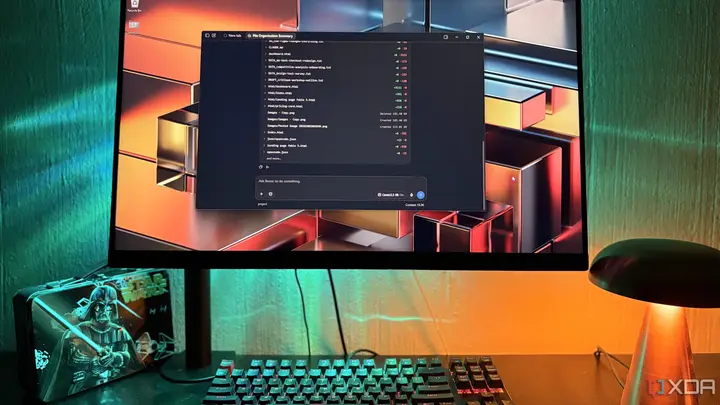
LM Studio has released Bionic, a separate agent app for Mac and Windows, according to a hands-on review by XDA Developers. Bionic launched in July. It sits beside the main LM Studio app, which remains the place to download models, change their settings and run a local server. Bionic is built for a different job: it lets a model work on real files and run commands on the computer.
The reviewer compares Bionic to desktop agent tools such as Claude's desktop app and Codex, rather than to the chat window of LM Studio. The user points the app at a folder, and that folder becomes the agent's workspace. Separate sessions can be kept for separate tasks. The user chooses a model and gives a request. The model then looks through the folder, works out a plan and carries it out. A reasoning toggle is available for models that support it.
Models already downloaded in LM Studio appear in Bionic's model picker with no extra setup. The reviewer contrasts this with other local agent apps, which first needed the LM Studio server switched on and an endpoint pasted in. Bionic runs on the LM Studio runtime itself.
Bionic can read documents and also create them, including PDFs, spreadsheets and slide decks. New documents open in a panel beside the chat. It can also write frontend code and show an interactive prototype in that panel. The review says this is not possible in the original LM Studio app.
Changes are shown as a diff, which marks what was added or removed in each file. Automatic checkpoints allow changes to be rolled back. Files outside the project's own workspace are edited directly, so the original file changes and no separate copy is made. The reviewer says this made them nervous when using a small 9B model on real files, and that the diff review matters.
Signing in is optional. Local models run without an account and work offline. Bionic is free for local models. Bionic+ costs 20 dollars a month and adds hosted open models and wider web search. Pro costs 100 dollars a month and gives five times the usage limits. Cloud models run on credits tied to an account. The built-in browser is limited on the free tier and needs a sign-in. According to LM Studio, requests to its cloud service are not kept after processing and are not used for training. The reviewer did not verify this.
Some limits apply. MCP servers, which connect outside apps to the agent, are supported. However, some need an account. The review notes that Notion's server asks for a sign-in, and that Bionic's own web search also needs one. Bionic does not mainly work by pasting in API keys from providers such as OpenAI or Anthropic, as some other apps do. The latest update adds experimental support for external API models, and the review describes this as early.
Users can switch models in the middle of a session. A local model can tidy a folder in one tab while a cloud model handles a larger report in another. A vision setting sends images to a separate local or cloud model when the main model cannot read images. LM Link lets the app use a model running on another computer the user owns.
The reviewer runs an 8GB graphics card, which limits them to models of around 9 billion parameters. They say the local model handles simple admin jobs well, but has a ceiling. They still use Claude for heavier work. They say Bionic has taken over a large share of the admin work they used to send to Claude, and that it is an easier way to work with private documents than a filesystem MCP setup.
Several points remain unclear. The source is a single personal review, and no independent tests of the app's safety or accuracy were reported. The review does not give the size of the credit allowances, and prices and free-tier limits may change.
Enjoying this? Get the AI brief
Every Thursday: AI that matters for your home.
✓ Free · seven editions · one click to leave
Original reporting by the sources above. Summary by smart-home.space.