GadgetsNews wire, 44 min ago
Aggressive NAS drive spin-down may wear hard drives faster, article warns
Reported by XDA Developers
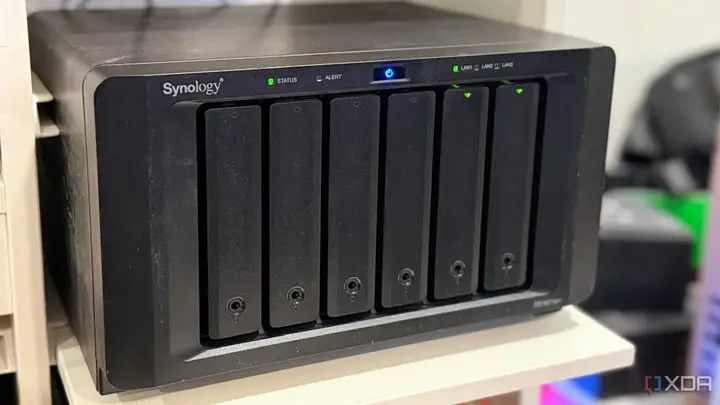
According to an article by XDA Developers, published on 25 November 2026, aggressive spin-down schedules on network-attached storage (NAS) drives may cost more than they save. The author argues that short idle timers can cause hidden wear on hard drives, and that one settings change can reduce it.
The piece separates two behaviours. A full spin-down stops the platters, and the drive draws roughly 1 W. A head load/unload cycle moves the read/write heads off the disk surface while the platters keep turning. Both are controlled by drive firmware and the operating system, so they are easy to confuse.
The article cites typical rated figures of 300,000 to 600,000 load/unload cycles and about 50,000 start/stop cycles for many modern drives, depending on the model. Reaching those numbers does not mean failure, and running 24/7 does not remove wear. Repeated start-stop cycling, however, adds mechanical and thermal stress.
On power, the article says a spinning idle drive uses about 3 W to 7 W, depending on model and rotation speed, while standby is closer to 1 W. Over a day, the saving per drive is small in yearly kilowatt-hours, and it may be smaller than the cost of one early replacement or the delay when a drive spins up.
The main cause, according to the article, is background activity. File indexing, thumbnail generation, S.M.A.R.T. health checks, container or virtual machine writes, and network discovery can touch a disk soon after it enters standby. If the timer is set to 5 to 15 minutes, the drive may cycle down and up many times a day. Operating system timers and hdparm settings can also clash with drive firmware. In some multi-disk pools, waking one drive wakes several.
To check the effect, the article suggests reading S.M.A.R.T. values before and after a 24-hour period. The relevant counters are Start_Stop_Count (attribute 4) and, where supported, Load_Cycle_Count (attribute 193). Power_Cycle_Count (attribute 12) counts full power cycles, not routine spin-downs, so it is less useful for this test.
The suggested fix is to disable automatic spin-down on drives in heavy use, or to set a long standby window, such as several hours or overnight, together with suitable power settings. The exact steps vary by system, including TrueNAS, Unraid, OpenMediaVault and custom Linux, so readers should check vendor tools. Some applications, such as Plex and Jellyfin, can keep drives awake. The article says spin-down still makes sense for cold backup drives used once a day or less, and for quiet enclosures where noise and heat matter.
The article also stresses general drive care: keep temperatures reasonable, run regular SMART short and long tests, keep parity or redundancy, and follow a 3-2-1 backup plan. It gives no test data of its own, so readers should check the rated figures in their drive's datasheet.
Enjoying this? Get the Gadgets brief
Every Monday: the gadgets worth your money.
✓ Free · seven editions · one click to leave
Original reporting by the sources above. Summary by smart-home.space.