GadgetsNews wire, 3 h ago
Changing DNS on Fire TV: a fix for stalling streams and a privacy step
Reported by How-To Geek
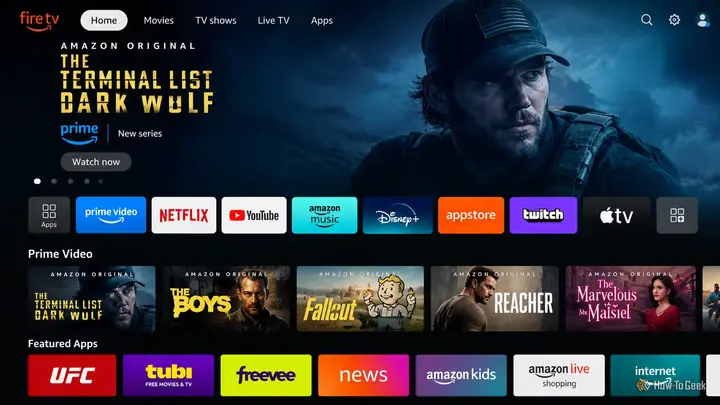
Owners of Fire TV devices who see streams freeze or show a spinning circle for a minute or more may be dealing with a DNS problem, not a fault in Fire OS. That is the main claim of a How-To Geek article published on 20 November 2026. The author describes playback that starts, stalls, and repeats every 10 to 15 minutes, and says that closing the app or reloading the stream does not clear it.
The domain name system, or DNS, turns a web name such as amazon.com into a numerical IP address. By default, a home network uses the DNS server run by the internet provider. The article says this server receives name requests in plain, unencrypted text. In the author's account, the provider can therefore see which services a household uses, when, and from where, and can use that data for marketing and recommendations. The article also says the data may be sold to third parties. The author gives no independent source for these points.
The article adds a second concern about speed. It says provider DNS servers can use long time-to-live values and may refresh cached entries slowly. An outdated entry can point to a dead server or a wrong address, and a stream can then time out. Congestion on busy provider servers can add delay to each lookup. The article states that tracking is not directly tied to DNS speed, but that the lookups themselves can slow the response to the Fire TV.
The suggested fix is to switch to a public DNS service. According to the article, these services focus on fast lookups, and some encrypt requests with DNS over HTTPS or DNS over TLS. Privacy practices differ from one service to another, so the author advises checking each one before choosing. The article lists logging periods for several services, ranging from no logs kept unless the user chooses, to logs kept for up to 48 hours. It notes that some services also block ads, trackers and malware.
The change is made in the Fire TV network settings. First, the user notes the current IP address, gateway and subnet mask, found under Settings, then My Fire TV, About, and Network. Next, the user forgets the current Wi-Fi network, reselects it, and types the password without connecting. Under Advanced, the old IP address and gateway are entered again. The network prefix length is 24 for a subnet mask of 255.255.255.0, or 32 for 255.255.255.255. For any other mask, the article points to an online subnet calculator.
The public DNS address goes into the DNS1 field, and the same address is repeated in DNS2. The author advises using only one public DNS service, so that the user knows which provider handles the requests. The device then restarts from the My Fire TV menu so the changes take effect. The article does not describe any error messages or rollback steps.
The article also says the DNS change will not solve every problem. Device faults, weak connections, and slow internet speeds can cause the same symptoms. In those cases, the author says, the DNS setting will not help. The article does not test the claims with measurements, and it does not report results from any provider.
The advice applies to anyone who streams on a Fire TV Stick or Fire TV device over a home Wi-Fi network that uses the internet provider's DNS. The article gives no date for the change to take effect and does not say whether the same steps work on other devices or for every provider. Readers who want to check the effect can time a few streams before and after the switch.
Enjoying this? Get the Gadgets brief
Every Monday: the gadgets worth your money.
✓ Free · seven editions · one click to leave
Original reporting by the sources above. Summary by smart-home.space.