GadgetsNews wire, 52 min ago
Four apps to customise an Android home screen: launcher, widgets, icons and wallpaper
Reported by Android Police
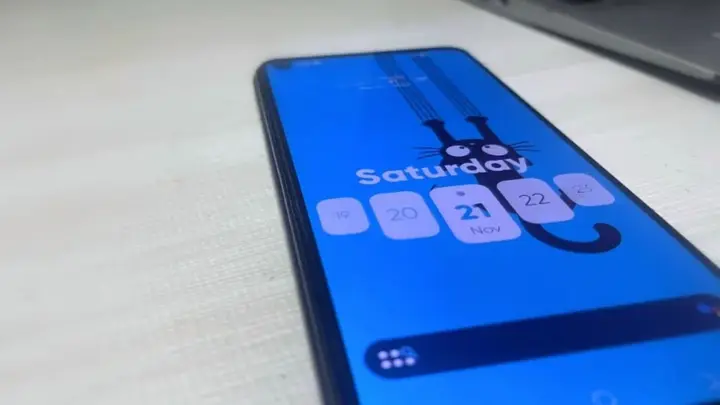
An Android Police reviewer describes how four apps changed the look of a phone home screen. The piece, published on 28 November 2026, is a personal makeover account rather than a product launch. The writer used Nova Launcher, KWGT, Whicons and Backdrops, each for a different part of the screen.
The launcher comes first. Nova Launcher replaces the standard home screen with a grid whose rows, columns, icon size and spacing can be changed. The writer set a 9 by 7 grid, removed the labels from icons and cleared the apps off the home screen so that widgets had room. Nova offers many layout and style options in its free version, but some features, such as certain gestures, need the paid Nova Prime upgrade. The writer ruled out Niagara Launcher because it allows less control over widgets and icon packs.
Widgets come next. KWGT lets users change text, fonts, colours, images, shapes and the order of widgets. It has panels for clocks, weather, music players, battery indicators and photo widgets. The writer started from a preset, scaled it and placed a separate weather widget, so the forecast can be read without opening another app. Third-party widget packs and imported presets need KWGT Pro. The reviewer advises trying one design at a time before installing more packs.
For icons, the writer chose Whicons, an icon pack from Google Play that gives a simple, uniform look. It integrates with Nova Launcher, so the icon packs can be added from within the Whicons app. Not every app has a custom icon in the pack, so some icons keep their default design. The writer found that the result matched the dark wallpaper and the widgets.
For the wallpaper, the writer installed Backdrops from Google Play and picked a blue design called 'Hanging On'. It was used on both the lock screen and the home screen. The writer says the blue works well with the white icons.
The writer reports that the changes took little time and that the screen now feels calmer and less cluttered. The article is one user's experience, not a test with measurements. It does not give the prices of the paid upgrades. It also does not report any effect of these apps on battery use or performance, and it does not state which Android versions they support. Readers should check these points in the app store before they install anything.
Enjoying this? Get the Gadgets brief
Every Monday: the gadgets worth your money.
✓ Free · seven editions · one click to leave
Original reporting by the sources above. Summary by smart-home.space.