GadgetsNews wire, Yesterday
Pixel home screen widgets: Keep redesign, Users widget and AI-made Create My Widget
Reported by How-To Geek
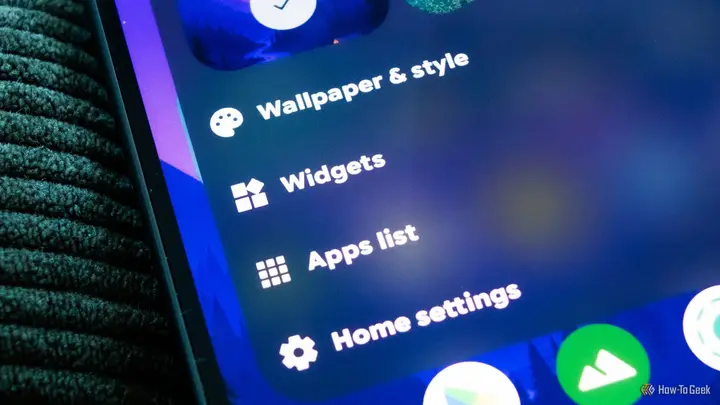
Google has changed several widgets on Pixel home screens through recent app updates and phone releases, and many of the changes have gone largely unnoticed. Coverage of Pixel Drops tends to focus on big feature releases, but smaller app updates have quietly reworked how some widgets look and behave, according to a report from How-To Geek.
The most visible change is to the Google Keep Note collection widget. An update in September replaced the old right-hand sidebar with a layout where notes fill the full width of the widget. A single plus button now sits where the sidebar was. Tapping it opens a menu with five note types: text, list, audio, drawing and photo. The reviewer found the new layout more balanced and better focused on notes, although adding a note now takes two taps instead of one.
Google also offers a Users widget that has been available on Pixels for some time but is rarely used. It lets people add users and guests, switch between profiles and manage accounts directly from the home screen. A settings button in the top-right corner opens the Users menu. The widget is most useful for phones shared by several people or often lent to guests.
The Individual Contact widget has grown from a 2x2 size to 2x3 and can now show a contact's birthday. Each contact that gets an Individual Contact widget is also added automatically to the VIP list. VIP contacts are placed in Favorites as well, a group that can get past Do Not Disturb.
The redesigned VIPs widget shows call and message buttons and larger photos in bigger sizes. It reverts to the older design, with circular photos only, in the smallest size or when the VIP list holds more than four contacts.
Create My Widget is the newest addition, arriving with the November Pixel Drop on newer models in the Pixel 10 and 11 range. It is a generative AI tool that builds a widget from a short written request, using Gemini. Users open the Widgets menu and tap a Create button in the top-right corner. The feature is limited to a few countries and works only in English. Users must be at least 18, and it is not offered on the Pixel 10a. Google promoted it as part of Android 17 without mentioning these limits at first. The limits were listed only when the feature shipped in November.
Several questions remain open. The report does not say when Create My Widget will reach more countries or languages. It also does not confirm whether the Individual Contact and Users changes reach every Pixel model. The writer could not use Create My Widget from their own country, so the AI tool was not tested. The writer's favourite change was the Keep widget, which they tested directly.
Enjoying this? Get the Gadgets brief
Every Monday: the gadgets worth your money.
✓ Free · seven editions · one click to leave
Original reporting by the sources above. Summary by smart-home.space.