GadgetsNews wire, 2 h ago
Good Lock's Grid view shows six recent apps at once on Samsung phones
Reported by Android Police
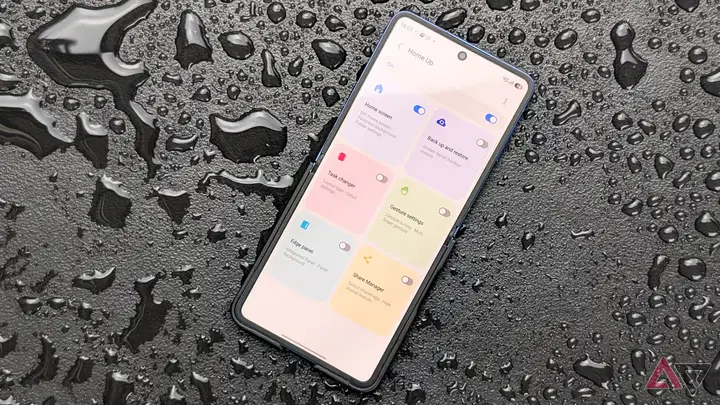
Samsung phone owners can change how the Recent Apps screen looks, according to a hands-on report from Android Police. The writer says the default carousel shows one app at a time, so reaching an app used a few minutes earlier can take several swipes. The fix sits in Good Lock, Samsung's optional customisation suite, where the Task Changer layout can be switched to a grid.
The reporter found the setting in the Home Up module of Good Lock, inside a sub-menu named Task Changer. The layouts on offer include List, Stack, Vertical List and Slim List. The writer chose Grid, which arranges recent apps as a two-by-three board. On a 6.8-inch display, six apps are visible at once. Each app keeps its preview card, so users can recognise an app by its snapshot as well as by its position. The writer says this removed a small but frequent delay in daily use.
The report also lists limits. According to the article, Stack, Vertical List and Slim List are not supported on One UI 8 and later versions, and Task Changer layouts are fixed to the default in tablet desktop workspaces. The article does not state whether Grid is available on every One UI version or every Samsung model, so owners should check their own device before relying on it.
The same module offers further controls. The writer mentions settings for the home screen, gesture behaviour, the edge panel and the share manager. Other Good Lock add-ons named in the article are LockStar, for the lock screen, and Edge lighting+, for the style of edge lighting. The writer argues that One UI lets users change more system behaviour than the software on Pixel phones or iPhones does, and that these changes can be made without rooting the phone or installing unverified software. This is the writer's own view. The report is based on personal use, not on a test by a lab or a second outlet.
The story mainly affects Galaxy owners who switch between many apps during a day, such as email, calendar, notes and a browser. People who rarely multitask will notice little difference. The article does not give a release date or an official statement from Samsung about Grid support. It also does not say whether the feature will remain part of Good Lock in future updates. Until more sources confirm the details, treat the report as one user's experience with a setting that depends on the phone's software version.
Enjoying this? Get the Gadgets brief
Every Monday: the gadgets worth your money.
✓ Free · seven editions · one click to leave
Original reporting by the sources above. Summary by smart-home.space.