GadgetsNews wire, 4 h ago
Mini PC or NAS: which is the cheaper home server for files and media
Reported by How-To Geek
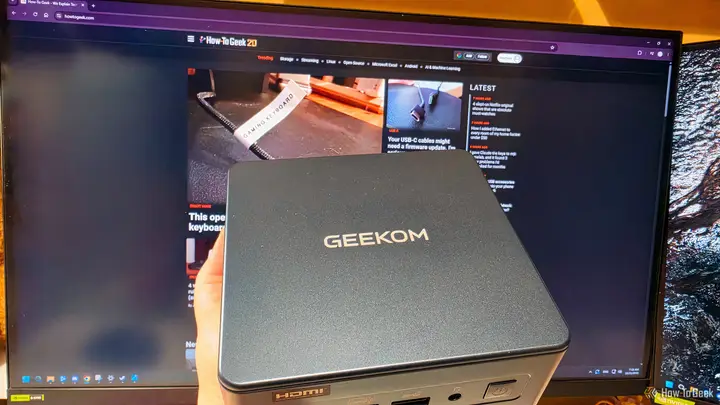
A How-To Geek article published on 24 November 2026 argues that a small, cheap mini PC can replace a prebuilt network-attached storage (NAS) box for many home servers. The author's view is that most people buy the wrong hardware for this job. The piece does not report new tests or measurements. It is an opinion based on the author's own setup, which uses a mini PC and no NAS.
The core point is that a NAS is, in practice, a computer built for storing and sharing files. Any machine that has an OS, a drive and a network link can do the same job. According to the author, an entry-level mini PC can run Windows or Linux and share folders over the network using SMB. A web interface such as OpenMediaVault can be added to manage the shares. Extra capacity can come from an external hard drive or SSD, and a wired Ethernet connection is recommended for reliability.
The article also covers media servers for Plex or Jellyfin. The author says a typical household does not need expensive hardware. If the viewing devices support direct play, the server does not have to convert video first. Where conversion is needed, some Intel processors include Quick Sync, which speeds up supported formats. The author notes that Plex needs an active Plex Pass for hardware-accelerated streaming. Heavy use, such as several 4K streams at once with full transcoding, would call for more powerful hardware.
On cost, the author says a NAS can be more expensive than its price tag suggests. Many NAS models are sold without drives, so buyers must add hard drives before use. The article points to high storage prices as well, with hard drives costing more than usual at the time of writing. A mini PC usually includes an SSD and some RAM, and often has a slot or two for more storage. The author suggests the mini PC is a full computer, so it can be reused for other tasks.
The article does not say a mini PC always beats a NAS. It names clear reasons to buy a NAS: multiple drive bays, large amounts of data, RAID for redundancy, and a single management interface. The author also recommends the 3-2-1 backup rule and says media servers are worth running. Readers who do not need these features are, in the author's view, well served by a mini PC.
What is not covered: the article gives no test results for specific models, no benchmark figures and no firm price for a named mini PC beyond a general range of about $300 to $500. Its headline uses $400 as an example. Prices change, and the article does not confirm current availability. The piece is one author's opinion, so readers should check specs and their own load before buying.
Enjoying this? Get the Gadgets brief
Every Monday: the gadgets worth your money.
✓ Free · seven editions · one click to leave
Original reporting by the sources above. Summary by smart-home.space.