GadgetsNews wire, 3 h ago
Sensors Off tile lets Android foldables keep the outer screen on while open
Reported by How-To Geek
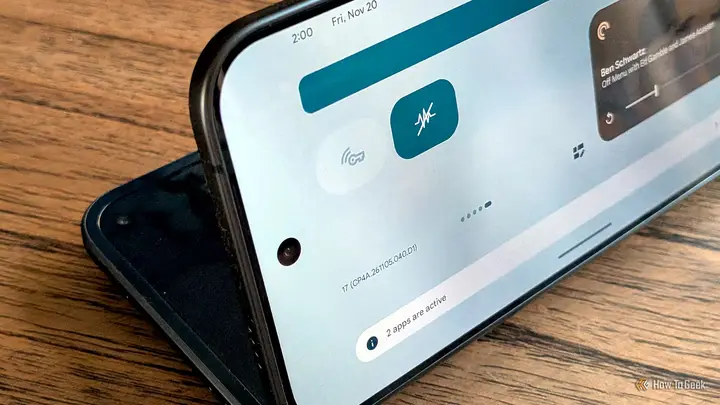
Android foldable phones normally switch off the outer screen when the device is opened. A how-to guide published by How-To Geek on 21 November 2026 describes a hidden setting that changes this. According to the outlet, a developer tile called Sensors Off can keep the cover display active while the phone is partly or fully open. Only one source covers this topic in our set, so the details come from that report.
The author says that foldable phones from Samsung, Google and Motorola all behave the same way. When the phone starts to open, the inside screen turns on and the outside display goes dark, unless the camera is in use. The report argues that this limits the partly folded flex mode, which is unstable at some angles and needs split-screen support that not every model offers. Keeping the cover screen on at a chosen angle can be steadier, because the weight sits over the flat half and only one normal-sized display is used.
The method works in several steps. First, the user enables Developer Mode. The reporter says the exact steps vary by device, but the general route is to tap the build number in the About phone section until the device confirms that developer mode is unlocked. Next, the user opens Developer options in system settings and enables Quick settings developer tiles. Sensors Off then appears as a tile in the Quick Settings panel, where it can be moved like other tiles.
When the tile is switched on, it temporarily disables several sensors. The report lists the accelerometer, gyroscope, proximity sensor, camera and microphone, as well as the sensor that detects the hinge angle. Setting the phone in the wanted position, then tapping the tile, lets the user keep using the outer screen while the phone is open. Tapping it again returns the phone to normal behaviour.
The author uses the mode mainly to watch video while lying down, and describes it as more stable than the inner display at a semi-folded angle. The article does not give a list of supported devices or Android versions. It also does not say whether the tile is available on every foldable model, or whether turning off the sensors affects other functions beyond those listed. Readers should test the tile on their own device and turn it off again when they are finished.
Enjoying this? Get the Gadgets brief
Every Monday: the gadgets worth your money.
✓ Free · seven editions · one click to leave
Original reporting by the sources above. Summary by smart-home.space.