GadgetsNews wire, 9 h ago
Three TrueNAS alternatives for a home NAS, and which suits which builder
Reported by How-To Geek
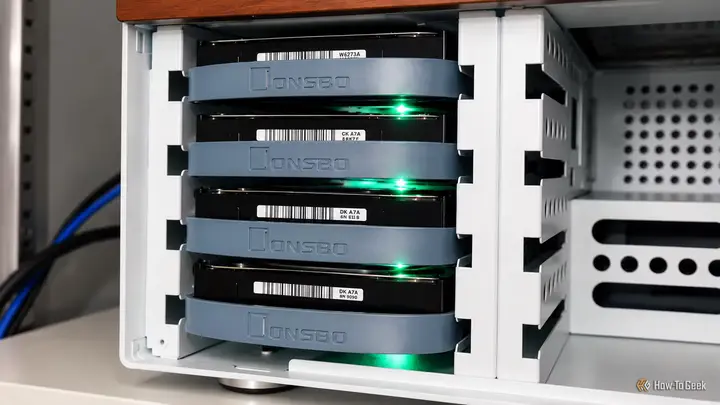
A How-To Geek writer, Umair Khurshid, tested three NAS operating systems as alternatives to TrueNAS, the widely used software for building a home network storage box. His conclusion is that picking the software can be harder than assembling the hardware. The piece is a personal hands-on test, not a product announcement, so its findings reflect one author's view.
TrueNAS is closely tied to home NAS builds. It offers ZFS storage, snapshots, replication and a full web interface. The author asks whether that much capability is needed for a simple home server that stores files, backs up computers and perhaps streams some video. He also notes that TrueNAS may not suit people with mismatched drives or those who want more control over the underlying system.
The first option is XigmaNAS, a FreeBSD-based system that shares roots with the original FreeNAS project, as TrueNAS does. Its appeal is a narrow focus on storage. It supports ZFS, including RAID-Z, snapshots, compression and checksums. The web interface manages storage pools, shares, users and services such as SMB, NFS and iSCSI. Networking features include VLANs and link aggregation. An embedded install is designed to reduce disk writes, which helps when booting from flash memory. The developers suggest at least 8 GB of memory for good ZFS speed.
The author sees XigmaNAS as a good fit for an older desktop with several drives used as a dedicated storage box. It is weaker as a general home server. Because it runs FreeBSD, Docker is not native. FreeBSD jails exist as an alternative, but they work differently from containers on a Linux NAS. Driver support may also lag for newer 2.5GbE or 10GbE network adapters, so buyers should check compatibility before purchase.
The second option is OpenMediaVault, built on Debian. It offers a web interface for disks, filesystems, shares, users and other everyday NAS services. The author considers it the easiest choice for a first-time builder. It does not center on ZFS. It uses ext4 by default, and ZFS can be added through community plugins, which bring extra configuration and upkeep.
What stands out is support for MergerFS and SnapRAID through plugins. These suit a collection of drives of different sizes. The author gives an example of two 4 TB drives, an older 2 TB drive and an 8 TB drive. MergerFS combines such disks into one directory structure without matching capacities. SnapRAID adds parity protection, but it does not update parity continuously. Parity must be synchronised on a schedule, so it fits mostly static files such as media libraries better than frequently changing data.
OpenMediaVault also has a plugin ecosystem. It includes Podman and other services, and Docker Compose is available through third-party OMV-Extras plugins. The author says this makes it practical to run a media server such as Jellyfin alongside storage. The trade-off is that many plugins can erode the simplicity that makes the system attractive. Every added component can cause compatibility problems, especially during major upgrades.
The third option is a plain Debian installation with OpenZFS for storage, Samba for network shares and Cockpit for browser-based administration. Community Cockpit extensions can help manage Samba shares and some ZFS functions. The author's stated favourite is this option. It gives snapshots, checksums, compression and replication, along with full control of the operating system. The server can also run Docker, KVM virtual machines and additional networking tools. The cost is more setup and more maintenance work for the owner.
Several points remain open. The article is a single writer's hands-on test, and the text we received ends in the middle of the Debian section, so the author's full verdict on that option is not available to us. The piece does not give prices, release dates, performance benchmarks or the hardware used in the tests. It also does not state which software versions were tested.
The main group affected is people who have spare PCs, a mix of older drives or a wish to run their own backup server at home. Readers who plan a NAS should decide first whether they need a dedicated storage appliance or a general home server, because that choice points to different software.
Enjoying this? Get the Gadgets brief
Every Monday: the gadgets worth your money.
✓ Free · seven editions · one click to leave
Original reporting by the sources above. Summary by smart-home.space.