Smart HomeNews wire, 2 h ago
A DIY ESP32 and WLED light strip for under $35, versus a $100 Hue strip
Reported by XDA Developers
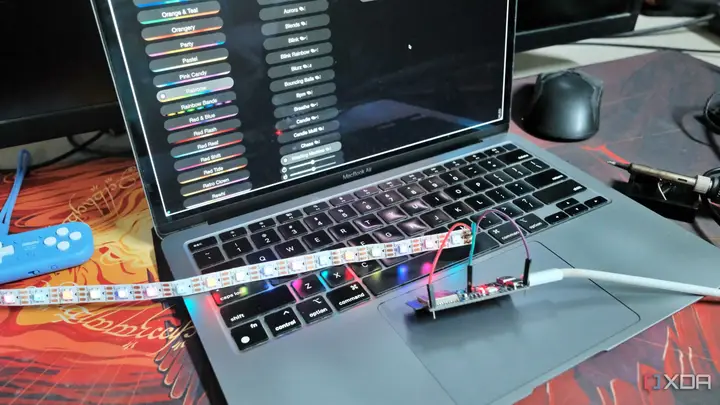
XDA Developers reports on a reviewer who built a smart LED strip with an ESP32 board and the open-source WLED firmware, as a cheaper alternative to Philips Hue. The article, published on 23 November 2026, says the total build cost came to under $35, while the Hue strip was priced at $99.99 and the full feature set needs a separate Hue Bridge.
The build needs three parts. The first is an ESP32 board; the reviewer used an ESP32-S3 model that cost $8. The second is a WS2812B addressable LED strip reel, sold in lengths from 1 to 5 metres; the reviewer's strip cost $15. The third is a 5V power supply sized for the strip's current draw. The reviewer used a 20W adapter costing $10, and the total also covered a few jumper wires.
Sizing the power supply matters most. The article offers a rough rule: divide the LED count by about sixteen to estimate the amps needed, since each LED at full white draws around 60 milliamps. A 5-metre reel with 150 LEDs, which is 30 LEDs per metre, can need roughly 9 amps at full white. That is well beyond what a USB socket can deliver. The reviewer's 30-LED test strip ran comfortably on the 20W adapter.
Wiring has three connections on the strip: power, ground and data. The reviewer connected the data line to a spare pin on the board and shared the ground between the board and the strip. For strips of 3 to 5 metres, the article says the power supply and the strip should share ground in every case. The board's own 5V pin is meant only for the board. Wiring a long strip to it risks damaging the voltage regulator, so the board should run on separate power while an external supply feeds the strip.
WLED is open-source firmware for addressable strips. The reviewer flashed it through a web installer in the browser over USB, choosing the latest stable release and the Basic mode. Boards with more flash memory can use Advanced mode to set the memory size and flash mode. After flashing, the board creates a temporary Wi-Fi network. You join it from a phone or laptop and connect the board to your home network. A web page then lets you set the data pin, the LED count and one of many lighting effects. The article says the whole setup took only a few minutes.
Once running, the strip appeared in Home Assistant and was added there without a separate hub, a vendor app or a company account. The reviewer can build automations and group the strip with other lights. The article lists trade-offs: you must solder wires and flash firmware instead of opening an app. The DIY route can also add a microphone for music-reactive effects, or buttons to cycle effects. The reviewer says Hue offers a similar option, but only within its bridge ecosystem.
Several points remain open. The article does not test long-term reliability, and it notes that a standard RGB strip lacks some features of a Hue strip. The cost comparison uses the reviewer's own purchases and the Hue price at the time. The test used 30 LEDs, so results for a full-length strip are not measured. The claim that three builds cost about the same as one Hue kit is the reviewer's own view.
Enjoying this? Get the Smart Home brief
Every Tuesday: what changed in Matter, hubs and security.
✓ Free · seven editions · one click to leave
Original reporting by the sources above. Summary by smart-home.space.