GadgetsNews wire, 47 min ago
Steam Deck desktop mode as a laptop stand-in: what one user found
Reported by Pocket-lint
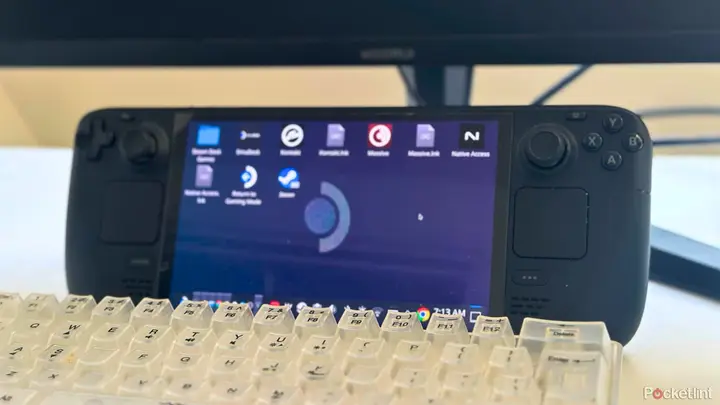
A writer whose laptop broke days before work deadlines found that a Steam Deck handheld could cover much of the computer work. The personal account, dated 29 November 2026 by Pocket-lint, describes how the device moved from games to full desktop use. The console was a gift bought mainly for playing games during trips.
The switch starts in the Power menu. From Gaming Mode, the user presses the Steam button, selects Power, then chooses Switch to Desktop. The desktop shows a taskbar, a wallpaper and icons, although the small screen feels cramped. Without a mouse, the writer used the two trackpads, one to move the pointer and one to scroll, while the triggers worked as clicks. A practical tip is to scroll in circles instead of swiping up and down.
A dock that holds the handheld upright and connects through its USB-C port lets the user attach a larger display, a keyboard and a mouse. A USB hub adds ports for a webcam or other peripherals. For writing assignments, the writer used Google Docs, edited images in Canva, and reached cloud files through Chrome and Firefox. The handheld's own touchscreen was big enough to keep chat windows such as Discord or Slack visible, while the larger monitor handled the main work.
The system runs SteamOS, which is based on Linux, so the writer had to learn some new habits. Display scaling and taskbar placement needed adjusting. The Discover software centre works like an app store and installs free programs, such as the VLC media player, without typing commands. For more advanced setup, the writer used the terminal to install a digital audio workstation and virtual instruments, and has since produced music on the device. Recording and streaming software also runs in this mode.
The account is one user's experience, not a formal test. It does not give measured performance, prices for the dock or accessories, or a list of which demanding programs run well. It also does not say how the device handles heavier workloads over time. Returning to Gaming Mode is done from the desktop once the work is finished.
Enjoying this? Get the Gadgets brief
Every Monday: the gadgets worth your money.
✓ Free · seven editions · one click to leave
Original reporting by the sources above. Summary by smart-home.space.