GadgetsNews wire, 2 h ago
Running a Debian desktop on an old Android phone with Termux:X11
Reported by XDA Developers
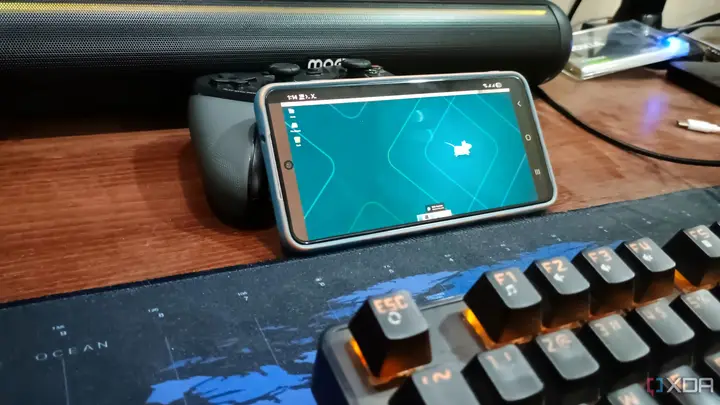
An XDA Developers author describes how he turned an older Android phone into a small Linux desktop. The method uses Termux, a terminal app for Android, together with Termux:X11, which shows graphical Linux programs on the phone screen. The report is a hands-on account by one tester, not an official product launch, so the steps and results come from a single device.
The setup does not require root access. Termux runs a Linux-like command line that stays separate from the Android system. The author used a tool called PRoot-Distro to install Debian inside Termux. Before the desktop, he ran a command-line setup, including a Jellyfin media server that served files from the phone over the local network. He also mentions Podroid, another option that uses virtualization. He notes that virtualization tends to perform poorly on weak phones, but he did not test it himself.
For the desktop, he installed the XFCE environment, some X11 packages and a few graphical apps. Termux:X11 provides the display server that draws these apps on the screen. He started the server, opened the Termux:X11 app, switched back to the terminal, set the display variable and launched XFCE. He prefers starting apps from the desktop rather than the terminal. He advises installing Termux from F-Droid. The GitHub build gave him trouble, and Android showed a warning about old versions. The Termux:X11 file from GitHub installed without problems.
Results depended on the hardware. He tested on a Samsung Galaxy S21 FE with 8 GB of memory and plenty of storage. The desktop loaded without a noticeable delay, but app launches were slower. LibreOffice, GIMP and Firefox all ran after launch. Firefox loaded web pages well, but video was a problem. The browser closed the session when playback started, worked after several tries and stuttered at 1080p. He also lacked the correct audio packages at the time of testing.
The touchscreen is hard to use for desktop work. Double-tapping icons feels odd. He used a keyboard and mouse through an OTG adapter with multiple ports. During setup he used scrcpy, a tool that mirrors the phone screen to a Windows PC, to type long commands. He said weaker or older phones would suffer more, both during installation and in desktop responsiveness. He also suggested that a larger screen, such as a foldable, could help with on-screen typing.
The author calls the result surprisingly good for an Android phone, but not as smooth as a standard PC or a single-board computer. The setup needs many components and runs on the resources that Android leaves free. The source does not report battery use, heat, or how stable the phone stays under long load. It also does not say whether the steps work on phones from other makers or with other Android versions.
The article does not present this as a supported feature. Readers should treat it as one tester's experiment. Anyone who tries it should expect slower app starts, limited video playback and a need for extra packages and accessories.
Enjoying this? Get the Gadgets brief
Every Monday: the gadgets worth your money.
✓ Free · seven editions · one click to leave
Original reporting by the sources above. Summary by smart-home.space.