GadgetsNews wire, 3 h ago
Old gaming PC as a media server: a budget alternative to a buying a NAS
Reported by XDA Developers
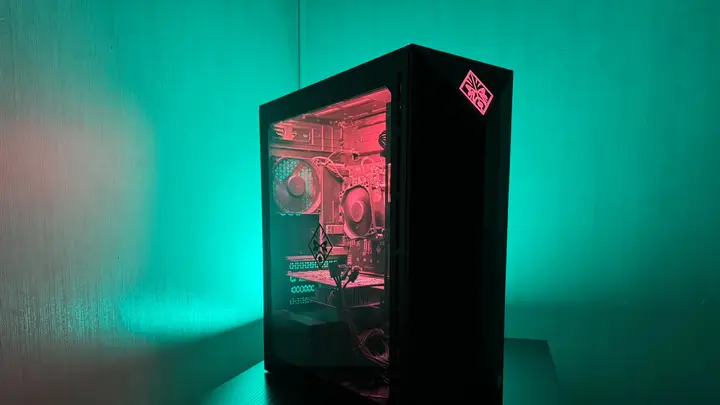
A reader who wants a home media server on a tight budget may be able to reuse hardware already at home. In a first-person account published by XDA Developers on 28 November 2026, the author describes replacing a multi-bay NAS purchase with an old gaming PC. The author had bought a new machine to replace an HP Omen and was weighing a NAS for media storage. The old PC now runs as a media server and file store. The article is one user's experience, not a formal test.
The PC runs Windows 11 Pro. The author did not switch to a NAS system such as OpenMediaVault or TrueNAS. Instead of reinstalling, the author cleaned up drive space, updated the firmware of the local drives and installed a long-overdue BIOS update. The machine has an Intel Core i7 8700 processor, 32GB of DDR4 memory and a GeForce GTX 1060 3GB graphics card. The author says this is enough for transcoding and for running media server software. The system drive is a 500GB Samsung M.2 NVMe drive, with a 1 TB SATA drive for storage. Most of the storage comes from a mix of external drives of different sizes, connected over USB 3.0.
The author installed Plex, Emby and Jellyfin, each on its own port, so the platforms can be compared side by side. A tool called Navidrome is planned for a ripped CD library. The author reports reliable access to the library on all screens and remote access to the CD collection through Jellybox. The author also moved the external drives from an Nvidia Shield TV Pro to the PC and mounted a media share on the Shield through its network storage section. The Shield still runs Plex. The PC connects by Ethernet on a gigabit network, and playback was fine. The only problems came from Wi-Fi devices.
The article is also clear about the limits. The author says the PC falls short of a proper NAS. The external drives are a hodgepodge, and the setup is not ideal for SMART health monitoring of those drives. The author still wants a 4-bay NAS to fill with 16TB or 20TB drives. A WD 16TB external drive costs nearly as much as a bare NAS, so the author will keep using the current setup for now. Keeping the PC powered on around the clock also adds to electricity costs, which the author notes as a drawback.
The article does not give power consumption figures or a cost comparison in currency, and it does not describe a backup plan for the drives. The author treats the setup as temporary, until a proper NAS is affordable, and plans to use the PC for other tasks afterwards. Readers with a spare PC may find the approach useful for testing media servers, but should weigh running costs, drive health and backups before relying on it.
Enjoying this? Get the Gadgets brief
Every Monday: the gadgets worth your money.
✓ Free · seven editions · one click to leave
Original reporting by the sources above. Summary by smart-home.space.