Smart HomeNews wire, 2 h ago
Local Home Assistant automations cut smart home response times to about 100 to 300 ms
Reported by XDA Developers
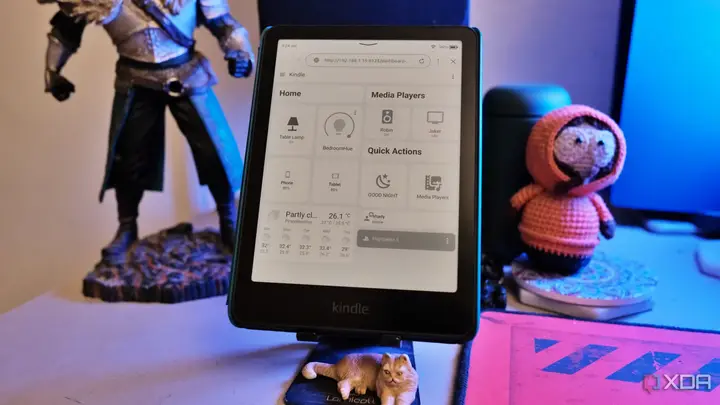
An XDA Developers writer describes moving a home's automations from cloud services to a local Home Assistant setup. The author says the change cut the delay between a sensor event and the device's response, and that the rules kept working during internet outages. The report is a first-hand account from one home, not a lab test.
The previous setup relied on cloud platforms. A trigger, such as a passive infrared motion sensor, sent its signal through the home router to a vendor server. When devices came from different brands, the signal could pass through a second company's cloud before the command returned to the device. Each hop adds time, and the author says the delay changed from one moment to the next. Peak evening load and API rate limits were named as causes. Some routines took a couple of seconds, and in a few cases more than four seconds. Timeouts also happened now and then, which left the author standing in the dark while waiting for lights to switch on.
In the local design, the trigger goes to a coordinator attached to the home network. Home Assistant checks the conditions and sends the command without leaving the network. The author moved Zigbee devices onto a direct coordinator running Zigbee2MQTT, instead of proprietary vendor bridges that often require cloud logins for automation. Some older devices did not support Zigbee and had to be replaced. Virtual switches that linked different ecosystems were removed. Choose actions, wait-for triggers and helper entities such as timers now handle the logic.
Using the built-in automation traces, the author reports local automations running in roughly 100 to 300 milliseconds, which the writer describes as fast enough to feel instant. The same local rules kept running during ISP outages and upstream DNS failures. Motion sensors, smart switches and scheduled climate rules continued without interruption. The author also says the setup is protected against vendor shutdowns and multi-day server outages.
The migration has costs. Zigbee shares the 2.4 GHz band with Wi-Fi, so the author moved the Zigbee network to channel 25, away from the Wi-Fi channels. Battery-powered end devices needed repair, which the author calls a one-time job. Firmware updates were the most tedious part, because there is no vendor app to handle them. Some Zigbee2MQTT devices receive over-the-air updates, and Home Assistant shows these as update entities.
Some features still need the internet. Off-site push notifications, location triggers away from home and external weather data all require WAN access. The author also says Home Assistant Assist lags behind cloud voice assistants such as Alexa in understanding natural language, unless it is paired with dedicated local hardware.
The author does not suggest moving everything at once. Start with the quick-response rules, for example lights that react to movement and buttons pressed by hand, and keep the rest in the cloud until the local setup has proven itself. Check device compatibility before buying replacements, because some devices will not work with Zigbee at all.
Enjoying this? Get the Smart Home brief
Every Tuesday: what changed in Matter, hubs and security.
✓ Free · seven editions · one click to leave
Original reporting by the sources above. Summary by smart-home.space.